


Table of contents
Overview
The Learning Lab is excited to bring you this exclusive content for GotPhoto customers: Best Practices for Your Spring Photoshoot. The goal is to help you save time and increase your sales.
Save time
1. Standardize your job setup with Job Duplication
Instead of creating each job from scratch, use the Job Duplication feature.
- Keep setups consistent across similar or recurring sessions.
- Reduce setup mistakes by reusing configurations.
- Work more efficiently when managing multiple or repeat shoots.
2. Prevent issues before going live with the Go-Live checklist
Before switching a job to Selling, use the built-in Go-Live checklist for proofing jobs.
- Catch missing settings before launch.
- Review all key configurations in one place.
- Activate revenue-driving settings like archiving dates and coupons.
3. Keep makeup days inside the same job
Use the Makeup day feature to streamline absentees.
- Keep data clean and organized.
- Avoid duplicate access codes.
- Export yearbook data seamlessly.
4. Reduce editing time with AI Editing on Upload
Enable AI-powered Editing on Upload to automatically optimize images during upload. Your first 100 edits are included. Learn more: Job Settings: Editing on Upload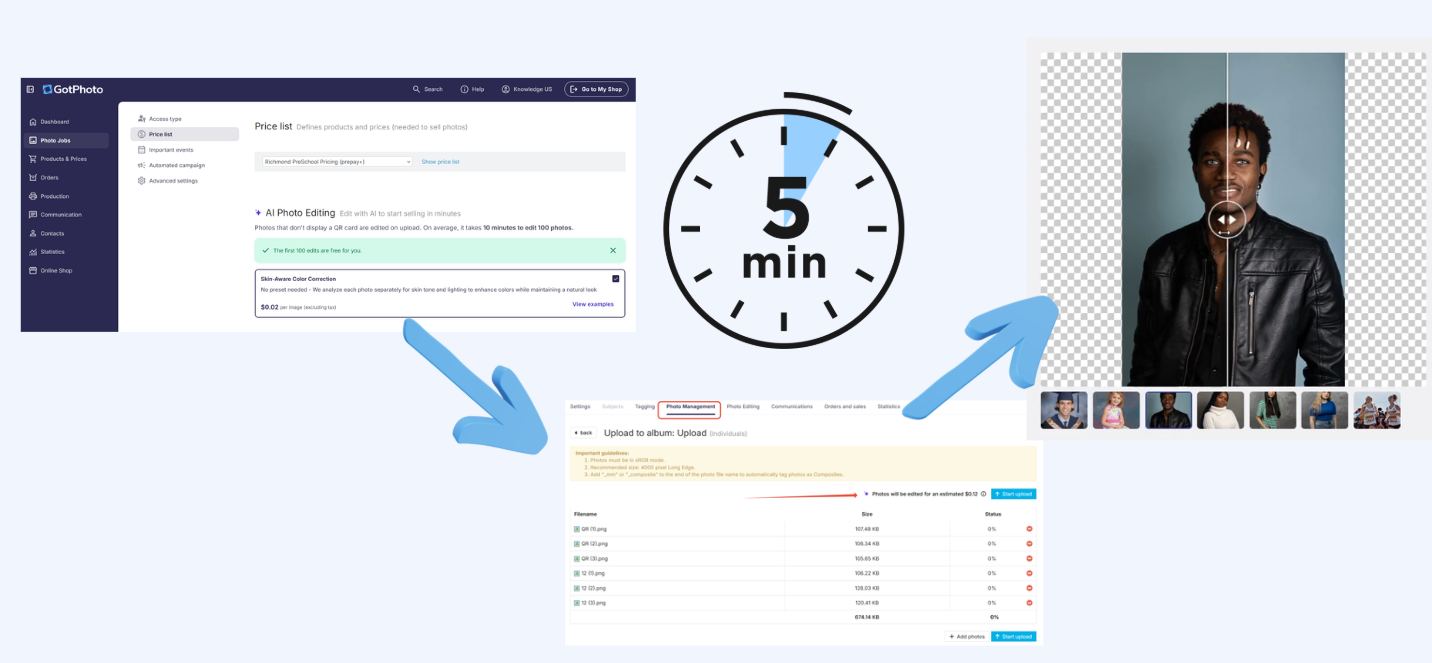
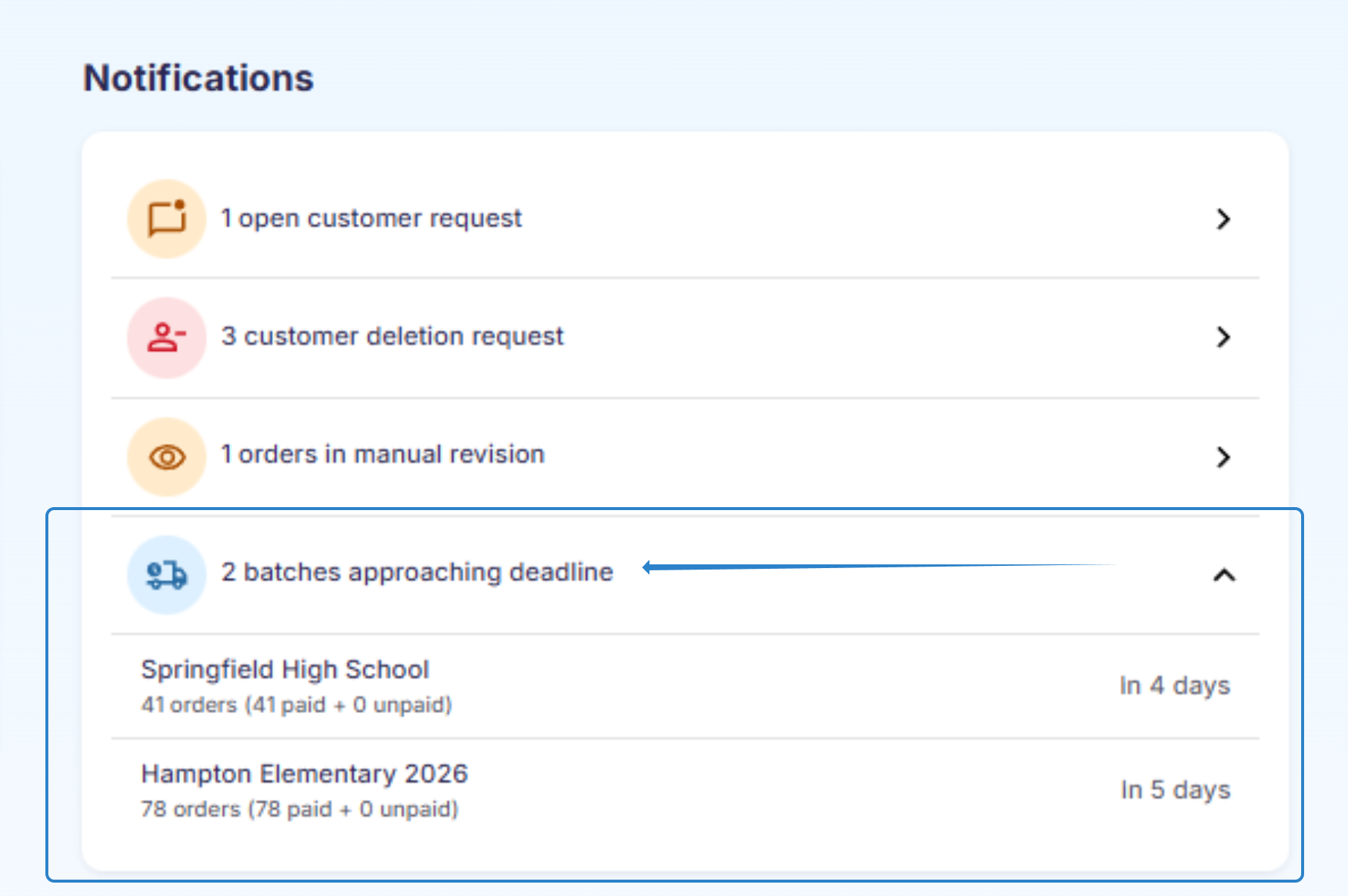
5. Monitor upcoming batch deadlines
Your dashboard shows upcoming and overdue batch deadlines so you can plan ahead and avoid rush situations.
6. Identify access codes without orders quickly
Use the order column in the Subjects tab to instantly see which access codes have not converted into orders. This reduces manual tracking and helps you focus follow-ups efficiently.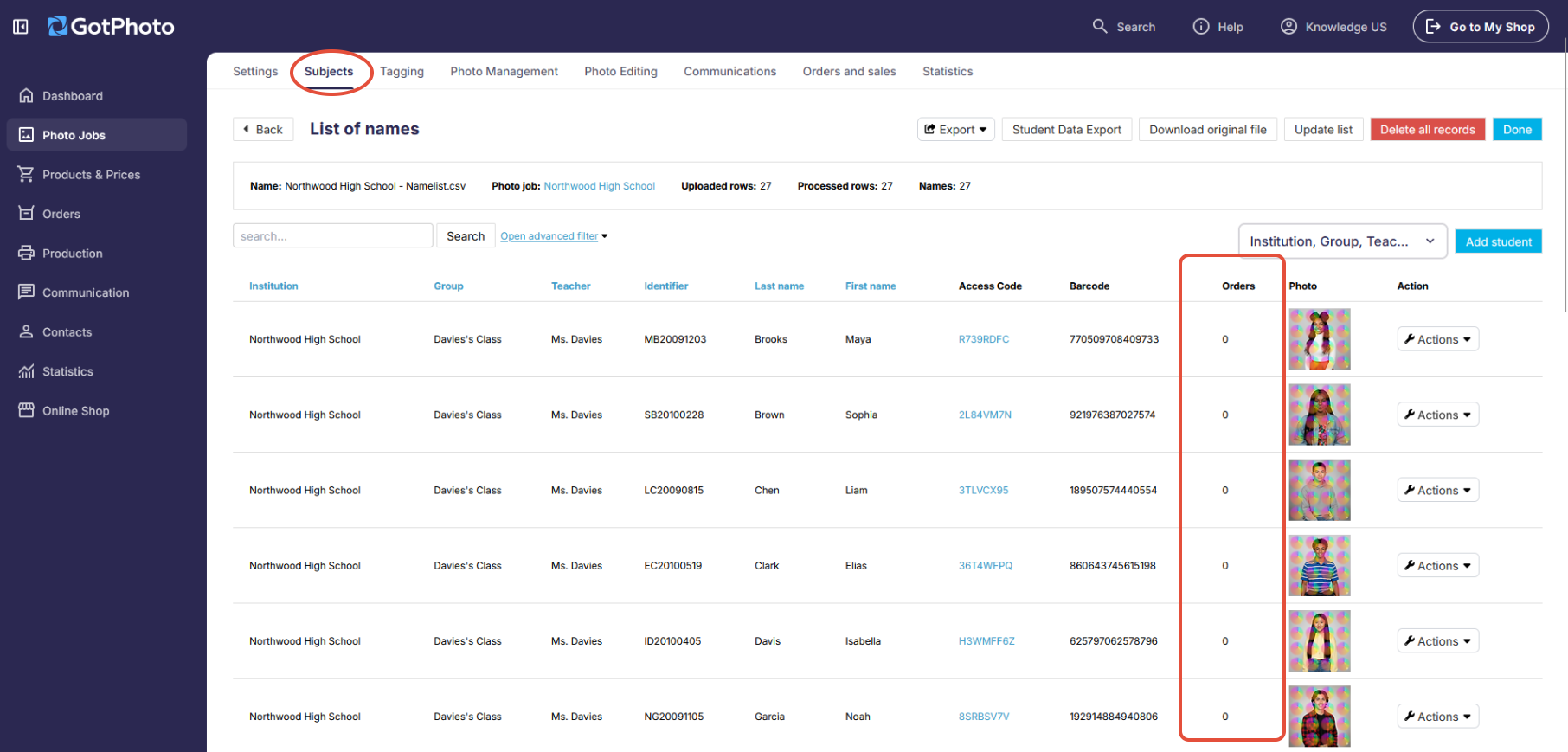
Names lists
7. Standardize your names list handling
Follow these best practices to prevent common upload errors.
- Always use the provided template in your job settings.
- Do not delete template columns; leave unused ones blank.
- Double-check column accuracy and consistency.
- Save and upload in UTF-8 format.
- Use Google Sheets for optimal CSV viewing.
- Use a new list for every job.
- Keep naming conventions consistent.
- Upload a names list
- Fix names list character issues
8. Save time with Airstudio integration
Streamline scheduling, staffing, and workflows with Airstudio.
- No duplicate data entry.
- Automatic syncing between systems.
- Reduced operational errors.
Airstudio and GotPhoto Integration
Earn more
9. Earn more per participant by using the new shop
- Higher conversion rates across volume photography.
- Approximately 80% of orders come from mobile devices.
- Tiered discounts, upselling options, and abandoned cart reminders increase basket size.
- Average +13% GMV uplift across job types.
- Screenshot protection and disabled right-click on desktop and disabled long-press functionality on mobile.
- The new GotPhoto Online Shop
10. Earn more with abandoned cart reminders
Between 19–40% of shopping carts are abandoned before checkout. Automated reminders help recover lost revenue and increase average order value.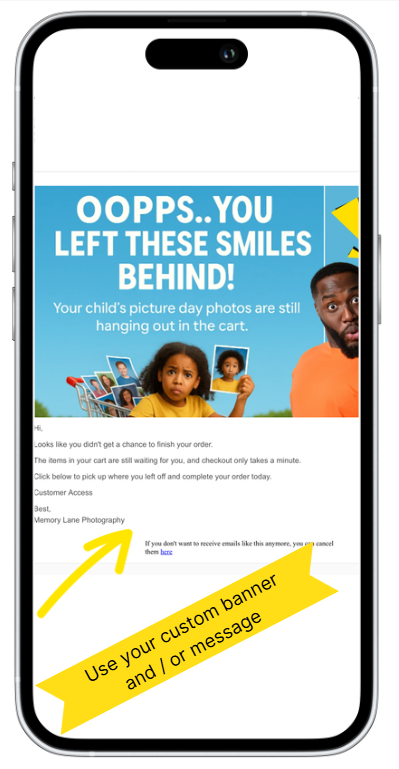
- Automatically emails parents who did not complete checkout.
- Customizable timing and messaging.
- No manual follow-up required.
Use the abandoned cart trigger in automated campaigns
11. Offer the add-on retouching product
- Appears directly in the cart for maximum visibility.
- Flexible: use AI retouching or handle it yourself.
- Fast delivery increases perceived value and revenue.
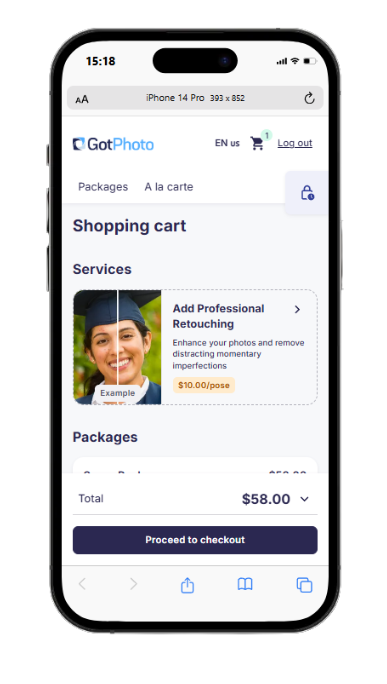
Offer the professional retouching add-on in GotPhoto
Communications
12. Be strategic with your outreach
- Adjust email cadence based on campaign triggers.
- Exclude customers who already purchased.
- Send reminders as coupon deadlines approach.
- Extend availability slightly before archiving.
- Set up an automated campaign
- Add an automated campaign to a job
- Add a message to a campaign
- Send a newsletter
- Generate Contact Sheets
- Download Picture Day flyer templates
- Create standout newsletters
13. Track campaign performance
Use the Campaign Performance Manager to monitor delivery rate, open rate, buy rate, and revenue generated.
- Replicate high-performing campaigns.
- Send targeted follow-ups to non-buyers.
- Fix engagement issues early.
- Optimize timing and frequency.
The takeaway
For maximum seasonal impact:
Standardize → Automate → Upsell → Remind → Measure → Optimize
Explore these additional resources to get ready for a successful season and make the most of your setup:
- Use the chatbot in your Admin Area
- Visit the GotPhoto Help Center
- Join your local GotPhoto User Facebook Group
We’re excited to see your success this season!