The Subjects tab appears in jobs that include student data. You can find it as the second tab in the job menu.
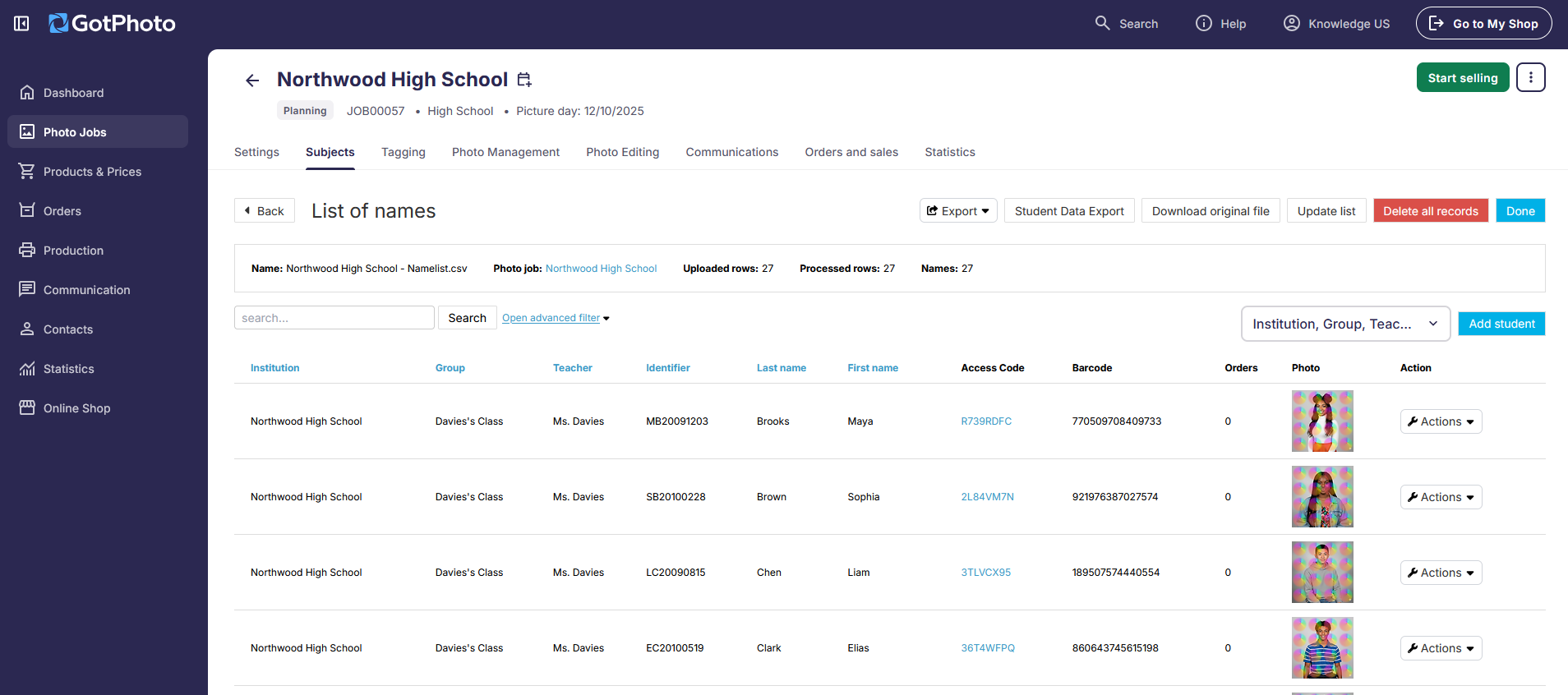
From the Subjects tab, you can:
- Access and search the job’s full list of names
- Manually add or edit student information
Additional features available in this tab include:
1. Export
This option lets you export the current names list. While the on-screen preview shows only a few data columns, the exported spreadsheet includes:
- GotPhoto child ID: A unique system-generated ID for each student, different from the custom identifier you may have added
- Subject and contact details (if available)
- Sibling name and photo type: Includes options like individual, group, or family/sibling photos - available only if Picture Day Registration was used and customers provided this info.
- Access code and barcode
- Logins - lets you see which subjects / access codes have shop logins.
- Total orders - shows you which subjects / access codes have orders.
2. Student data export
This link takes you to the Student Data Export tools.
- For US and Canada, refer to: Run a Student Data Export (PSPA and Custom Export)
- For UK users, refer to: Run a Student Data Export (SIMS and Custom Export)
3. Download original file
This option allows you to download the last imported names file. If you uploaded only one file, it will be the original. If you've uploaded additional data, it will download the most recent list that was imported.
4. Update original file
This feature enables you to update the existing names list. Learn more by visiting: Updating a names list
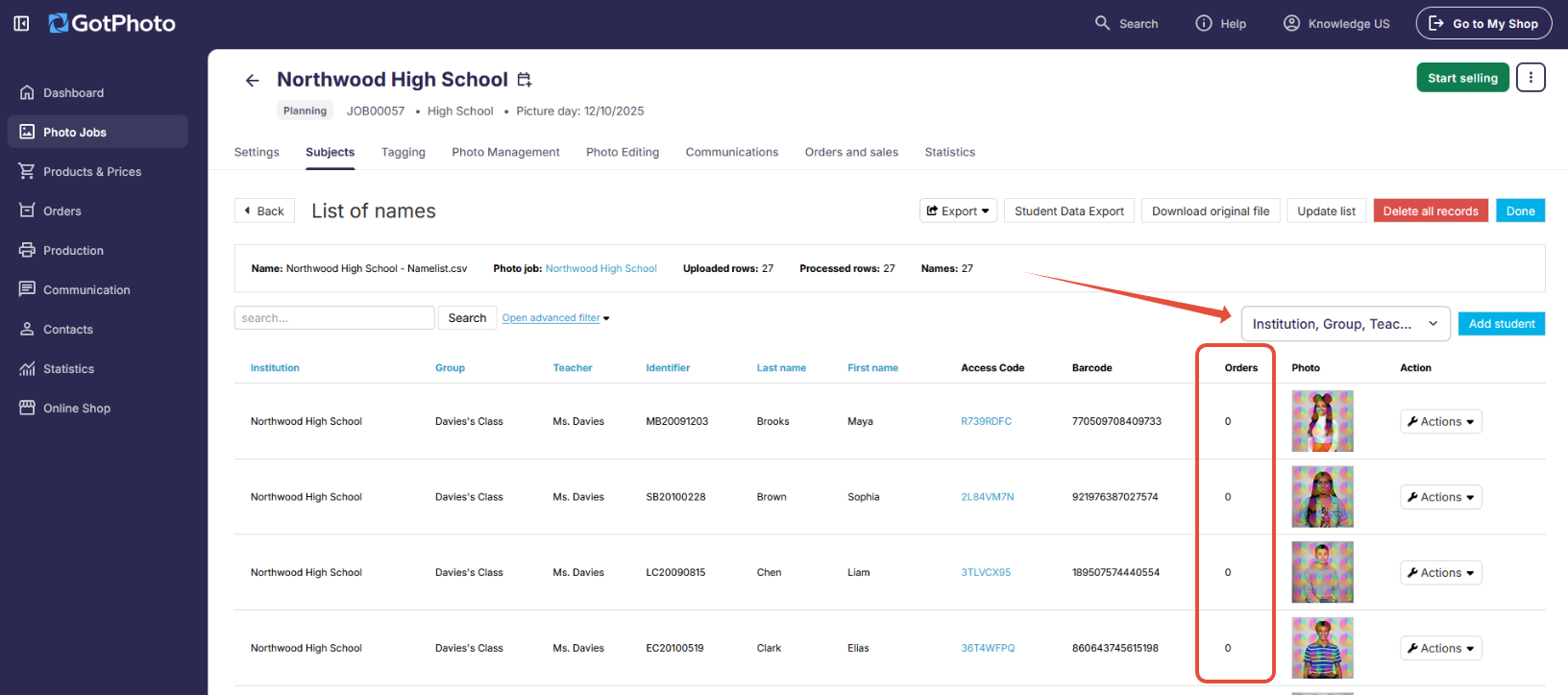
5. New (February 2026): Names list column filter & Order column
You can now instantly see whether a subject already has orders linked to their access code. In addition, you can now customize the column view to suit your needs.