
 This article is relevant to UK customers only. For North American customers, click here.
Table of contents
- Overview
- Fee overview
- Rounding example
- Your GotPhoto invoices
- Billing system comparison
- Balance notes
- The takeaway
Overview
This article explains how your fees are calculated and billed on your GotPhoto invoice. GotPhoto applies different rounding rules for order fees and the amounts charged when an order is placed.
Fee overview
Fees you may be charged by GotPhoto:
- Monthly subscription: Typically not charged to VAT-registered users. You can switch to annual here.
- Service fee: Per order based on gross revenue.
- Production and shipping: If you use a third-party public lab.
- Payment processing (Stripe Express):
- £0.20 per order
- 1.5% of transaction total
- [Optional] Other charges, if applicable:
- Fees for basic editing
- Manual or batch order entry fees based on your plan
- Entagged subscription
Rounding example
GotPhoto calculates fees using four decimal places, then rounds to two for billing. This may cause a balance discrepancy.
- Service fee: 7% of £29.29 = £2.0503 → billed as £2.05
- Payment fee: 1.5% of £29.29 = £0.4393 + £0.20 = £0.6393 → billed as £0.64

Your GotPhoto invoices
You’ll receive your GotPhoto invoices via email, and you can also access them in your GotPhoto Admin under User Name > My Account > Finances > Financial Reports > Invoices.
Invoices for the previous month are available on the first day of each month.
March 2026: GotPhoto shifted from a rolling invoice balance to invoice-matching billing.
Previously, outstanding amounts were carried over to the next invoice. To improve reconciliation, we introduced a new system where each invoice is handled individually.
This makes it easy to see which invoices are paid and which remain outstanding.
What are the changes you will notice in your account?
If you paid all past invoices, your GotPhoto Balance will indicate that.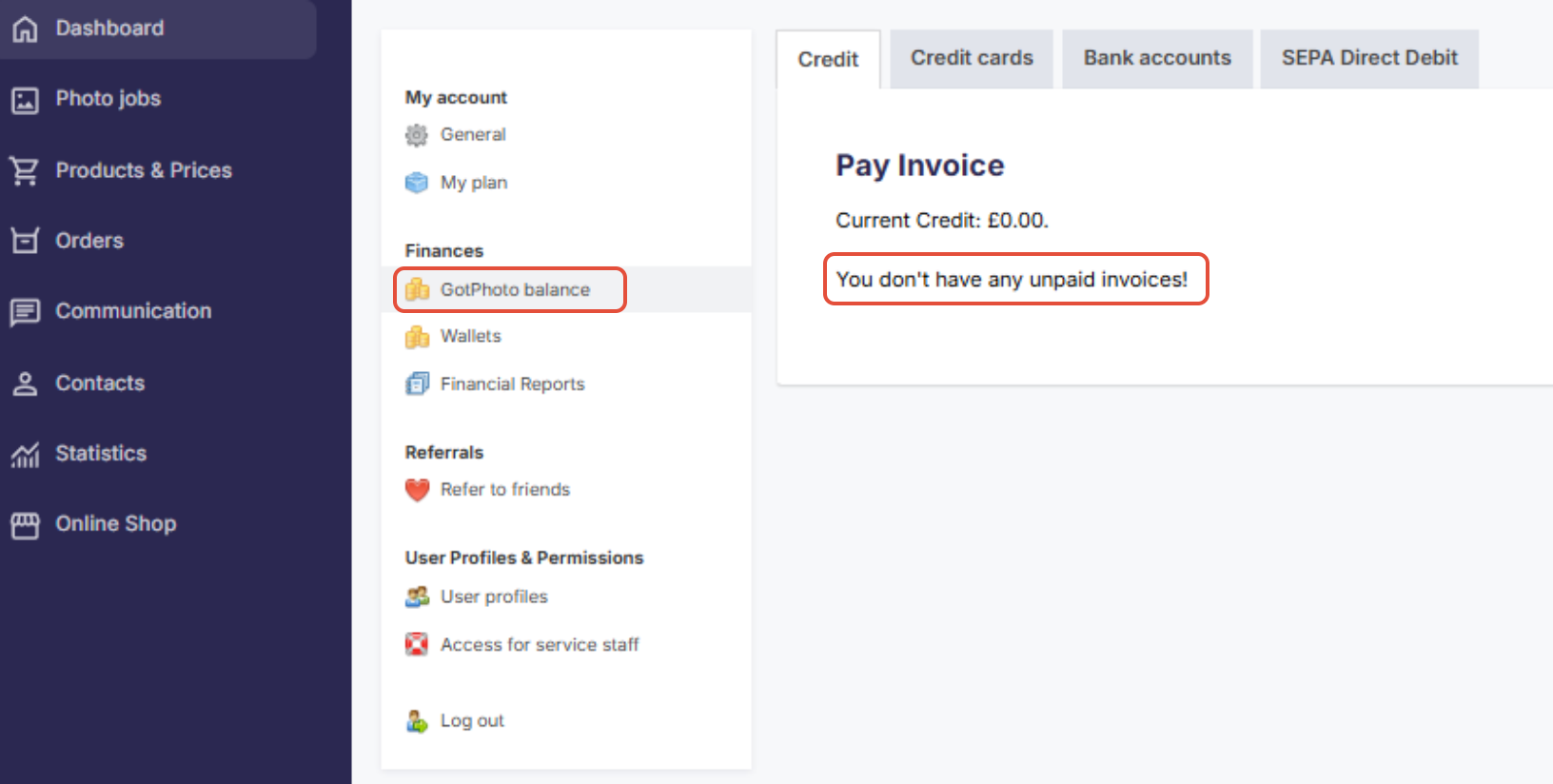
If your account has unpaid legacy invoices from the previous billing system, we will display them in your Invoices section where you can pay your legacy balance (to get there, click your username in the upper right of your dashboard > Finances> Invoices).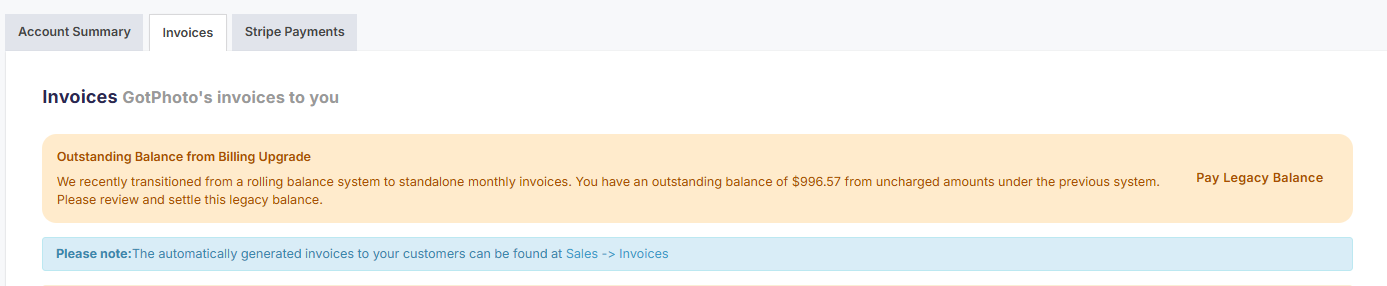
- With the new billing type, each invoice must be paid separately.
- If you have not saved a credit card yet, please do so.
Billing system comparison
| Feature | Legacy (Rolling Balance Billing) | New (Invoice-Based Billing) |
|---|---|---|
| How charges are handled | Balances can carry over between billing periods | Each invoice reflects a specific billing period only |
| How payments work | Outstanding amounts may appear on the next invoice | Each unpaid invoice must be paid separately |
| Best way to identify it | You see carried-over balances on the invoice | You see individual unpaid invoices in GotPhoto Balance |
| Who uses it | - | All customers |
Balance notes
- You may see a negative balance due to rounding or timing of orders.
- A positive balance will be paid out to your Stripe account at the end of each month. Depending on order timing (for example, if a batch order deadline falls in the next month but orders are placed in the current one), the charge may appear only after your payout. This is something to keep in mind when reviewing your transactions.
The takeaway
GotPhoto uses high-precision accounting with four-decimal accuracy to ensure fairness, especially for high-volume photographers. Balance discrepancies are normal and reconciled automatically in your monthly invoice.