

 SMS capabilities are currently available to North American customers only. We look forward to implementing GDPR-compliant SMS functionality for our UK customers in the future.
Table of contents
- Overview
- Register your business with Twilio
- Twilio registration requirements for U.S. customers
- Information required for registration
- How to meet the brand requirements
- How to meet the campaign requirements
- Registration status in GotPhoto
- FAQ
- The takeaway
Overview
GotPhoto uses a secure third-party service called Twilio to send text messages to your customers. Once you set up SMS Settings in GotPhoto, a dedicated Twilio number will be assigned to you, keeping your personal number private.
This article outlines the Twilio registration requirements, which are essential for enabling SMS functionality, especially for U.S.-based businesses.
If you're located in the United States, carrier regulations require you to complete Twilio registration before SMS messaging can be activated. Canadian customers only need to provide a mobile phone number in the SMS settings and do not need to complete the full Twilio registration process.
Register your business with Twilio
This section provides a high-level overview of the Twilio registration process. Continue reading for step-by-step instructions for each registration type.
- Open SMS Settings in GotPhoto.
- Ensure you added the required SMS language to your Privacy Policy and Terms & Conditions.
- Select whether you're registering as a business with an EIN or as a sole proprietor.
- Complete all required business information.
- Provide a point of contact.
- Configure SMS forwarding and phone number preferences.
- Ensure all relevant steps are completed and the required checkboxes are selected before proceeding.
- Submit your registration.
- If you're registering as a sole proprietor, reply YES to the confirmation SMS within 24 hours.
- Wait for your registration status to change to Active.
Twilio registration requirements for U.S. customers
U.S. carriers like AT&T and T-Mobile have implemented A2P 10DLC messaging regulations to ensure secure, trustworthy business-to-consumer communication. These rules require businesses to register with Twilio or risk message delivery issues or spam filtering.
To comply, you must register your business through GotPhoto and consent to share details with Twilio. More on the official policy from Twilio here.
Information required for registration
Through GotPhoto's SMS Settings page, you will enter your business information, which GotPhoto will then securely submit to Twilio.
First, make sure you have added the required SMS language to your shop’s Privacy Policy and Terms & Conditions. Then select the checkboxes and click Continue.
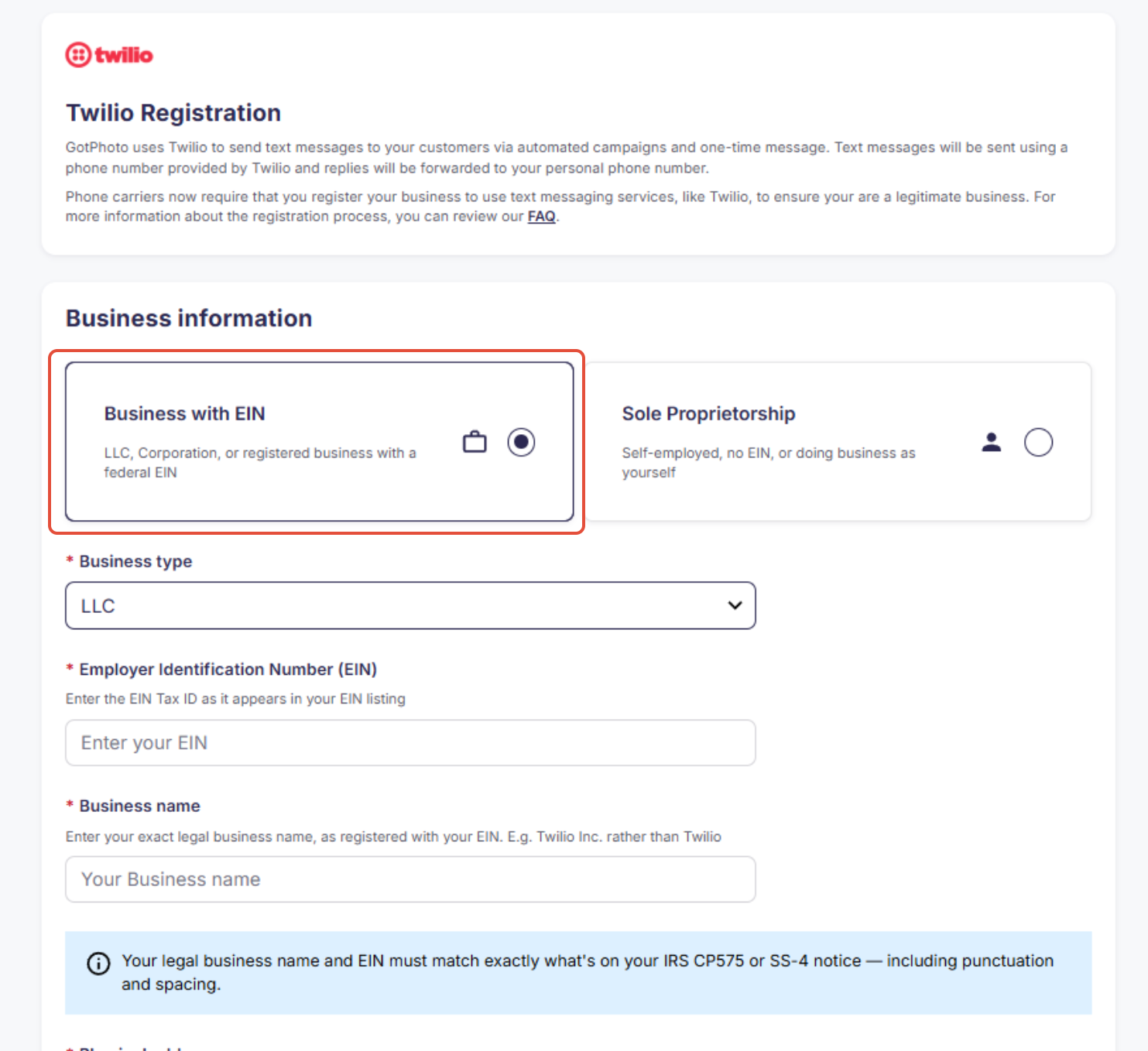
Option 1: Businesses with an EIN
Use this option if your business has an Employer Identification Number (EIN).
Enter the required business details:
- Legal business address, from CP575 Notice
- Business name
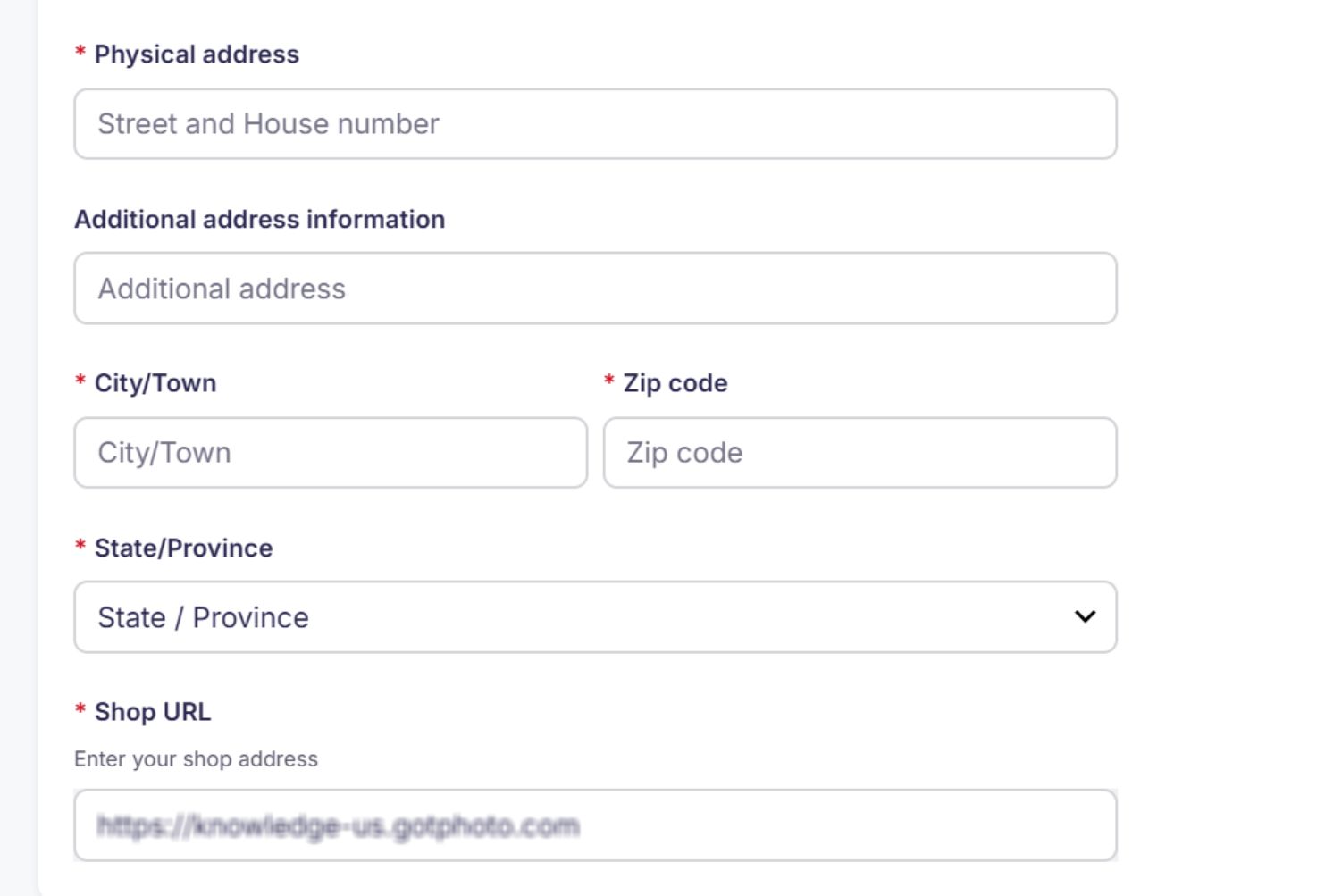
Enter your business address and GotPhoto Shop URL:
- Business address
- GotPhoto Shop URL
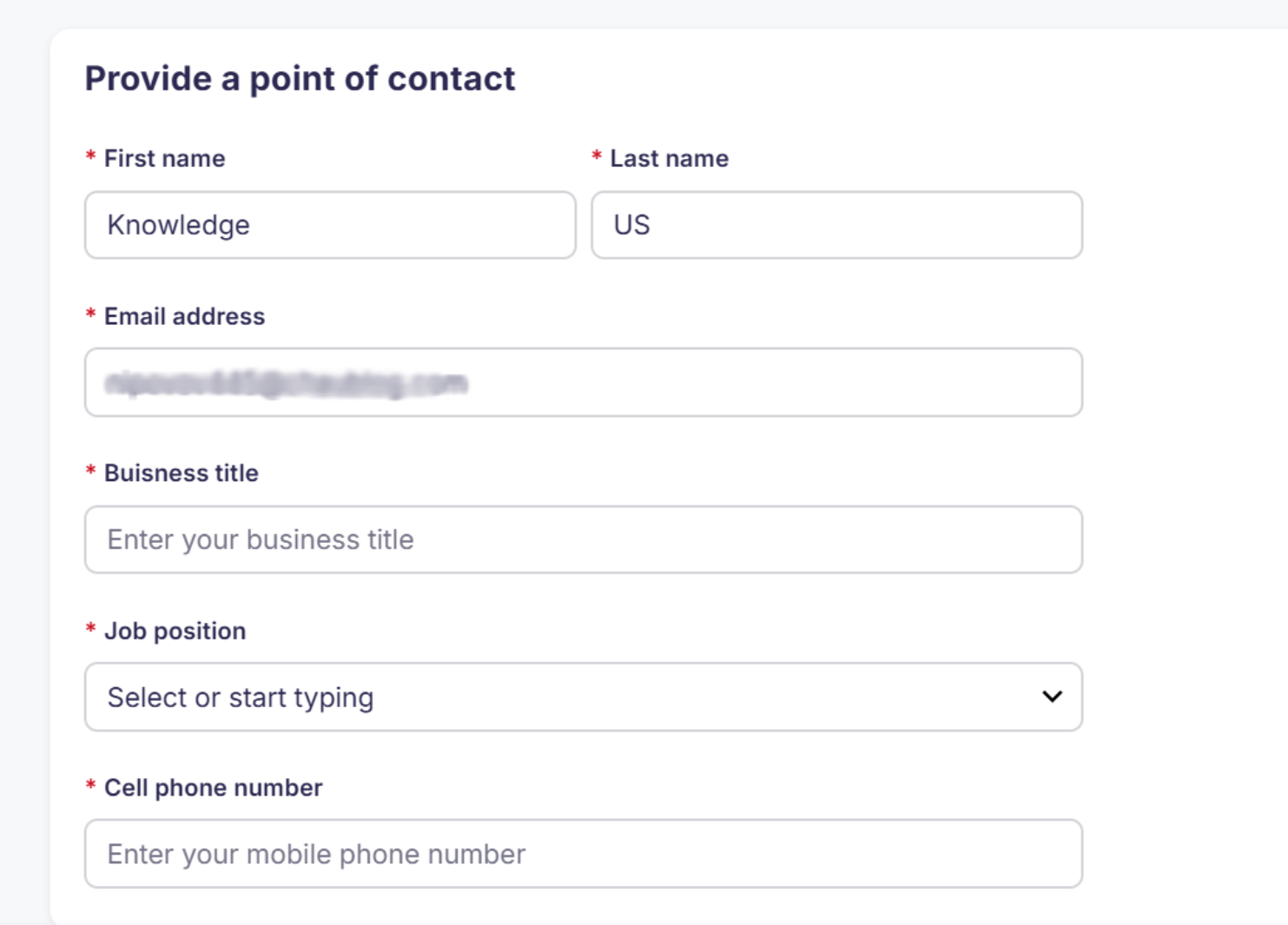
Provide a point of contact:
- Full name of the account holder
- Email address
- Business title
- Job position
- Cell phone number for verification
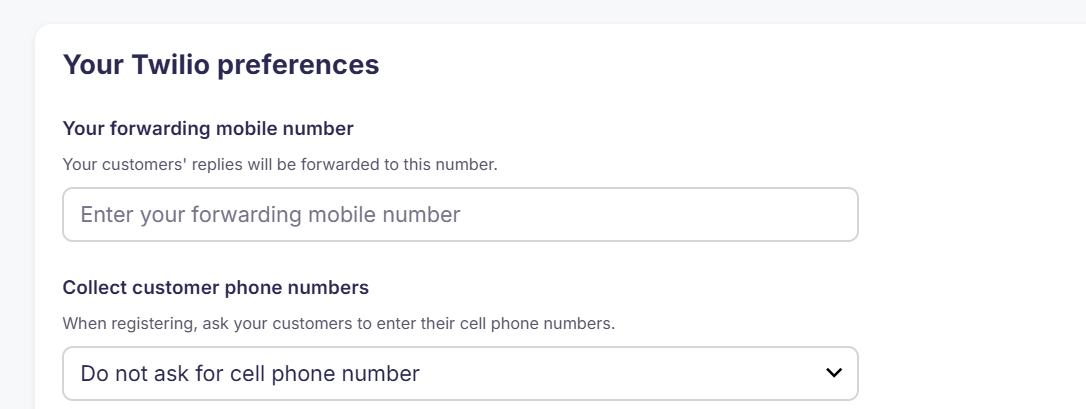
Add your Twilio preferences:
Configure how SMS replies are handled and whether customers are asked to provide a mobile phone number during registration.
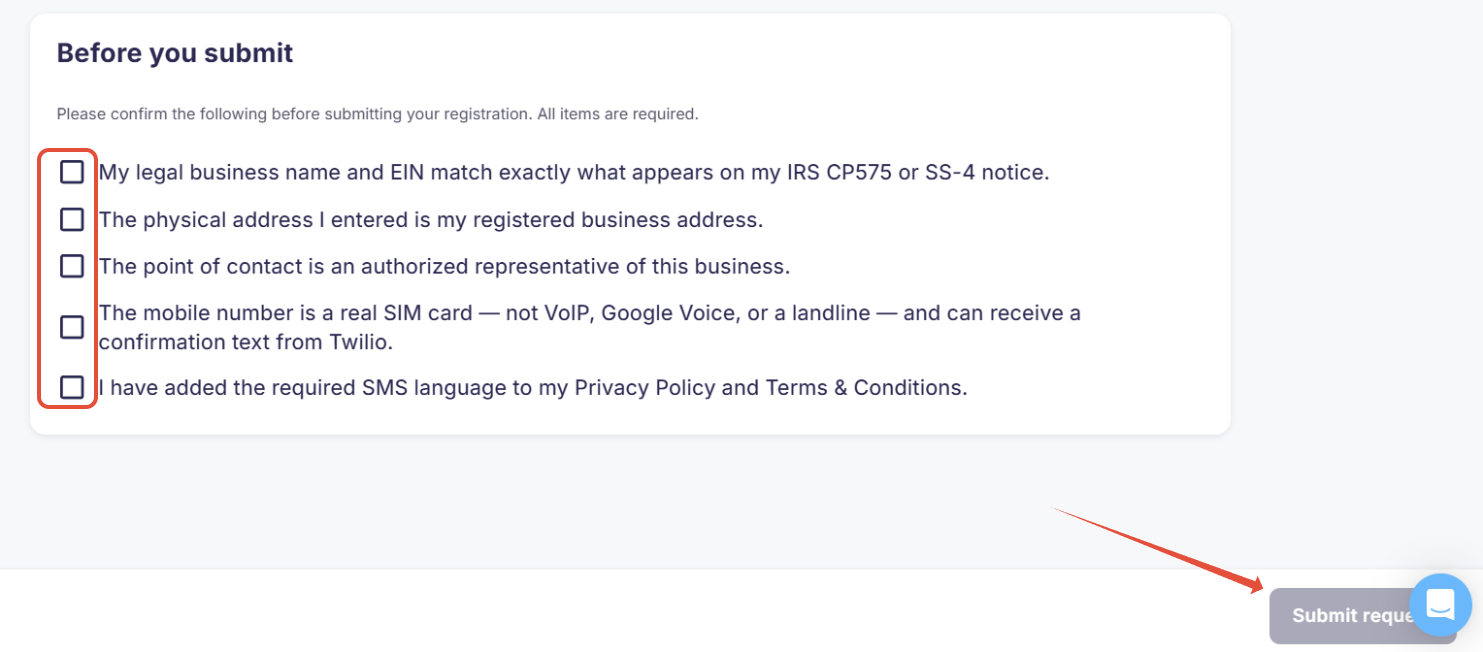
Ensure all relevant steps are completed and the required checkboxes are selected before proceeding.
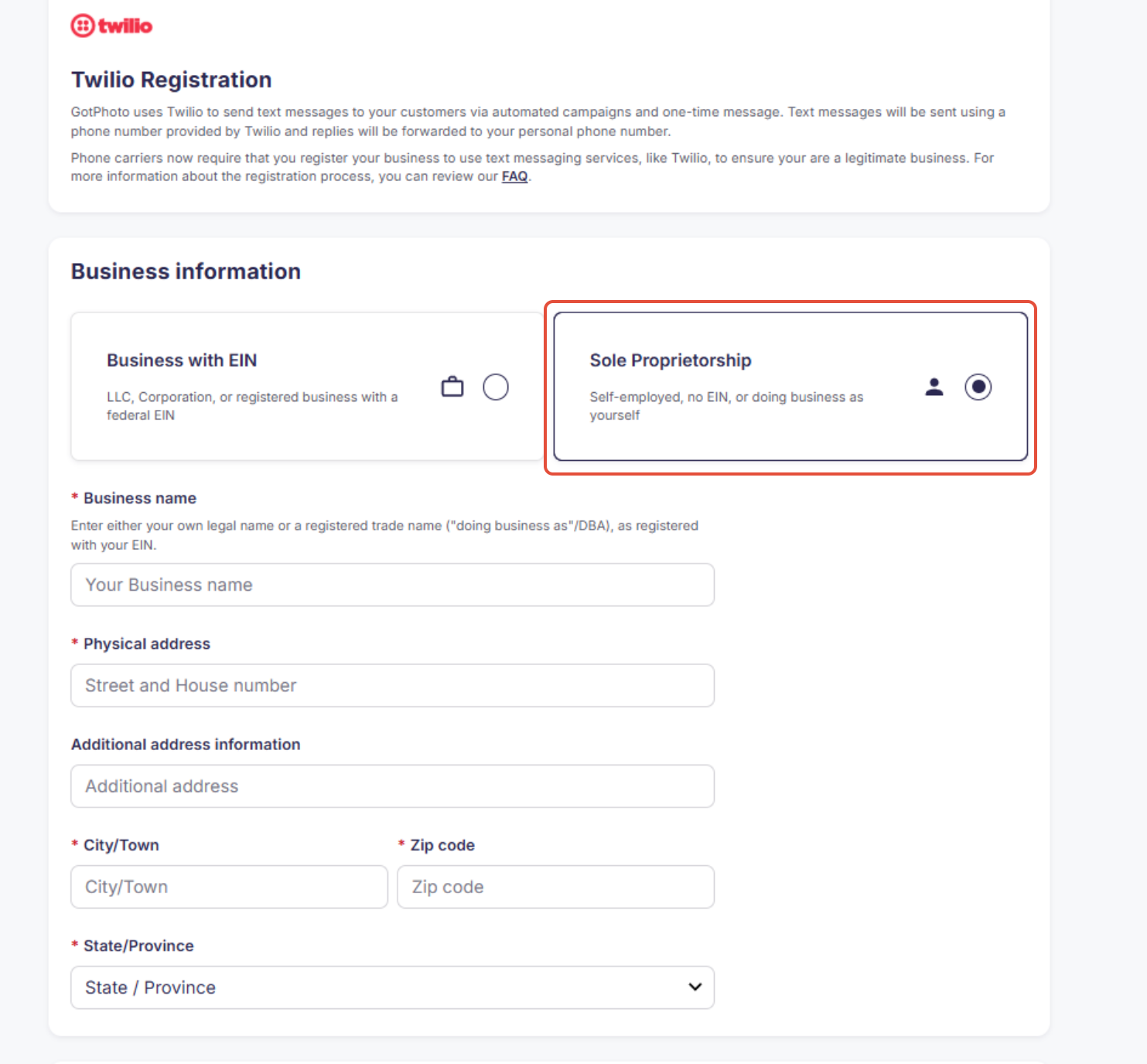
Option 2: Sole proprietors
Use this option if you are registering as a sole proprietor.
Enter the required business details:
- Business name
- Business address
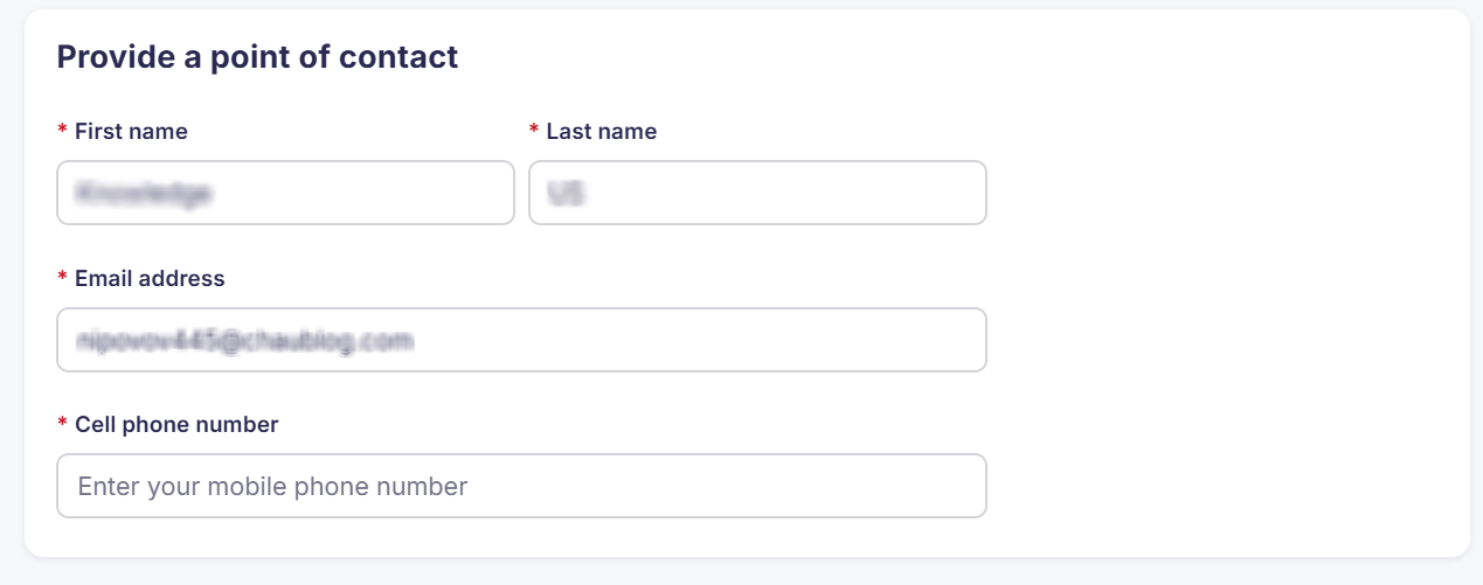
Provide a point of contact:
- Full name
- Email address
- Cell phone number for verification
Note: If you're a sole proprietor and also have an EIN, make sure your information matches the CP575 Notice.
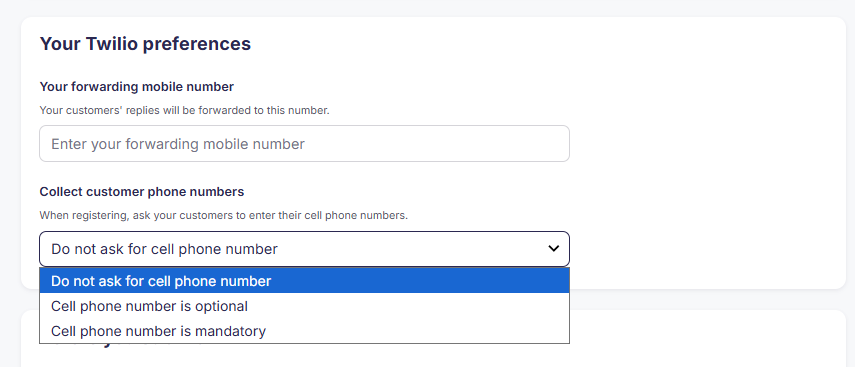
Configure SMS forwarding and phone number preferences:
Configure how SMS replies are handled and whether customers are asked to provide a mobile phone number during registration.
Finish all required steps and checkboxes:
Ensure all relevant steps are completed and the required checkboxes are selected before proceeding.
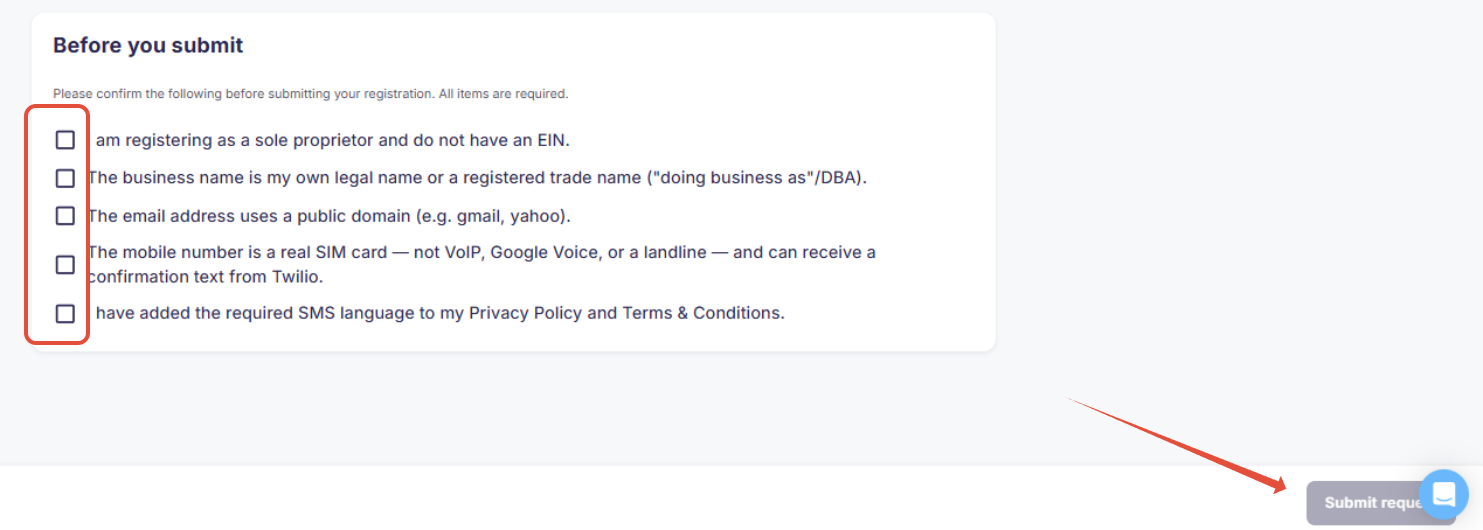
What happens after submission
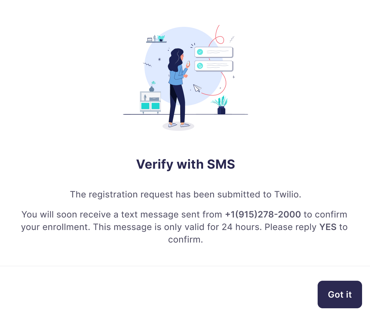
If you're registering as a sole proprietor, you will receive a text message from +1(915)278-2000 asking you to confirm your enrollment. Reply YES within 24 hours of receiving the text message to complete the process.
If you don't reply YES within 24 hours, your registration may be rejected, and you may need to submit it again.
How to meet the brand requirements
Brand rejections often occur due to incorrect or mismatched business information. To prevent this:
- Ensure the legal business name and EIN, if applicable, match exactly what appears in official records.
- For LLCs, the submitted information should exactly match IRS documents such as the SS-4 or CP 575 Notice.
- Pay close attention to punctuation, spacing, and formatting.
How to meet the campaign requirements
Campaign rejections often occur when the privacy policy or Terms and Conditions are missing, incomplete, or not compliant with Twilio's requirements. To prevent this:
- Make sure that both the privacy policy and Terms and Conditions are available via direct, public links.
- Ensure the links are live and accessible at the time of campaign submission.
1. Privacy policy guidelines
Your privacy policy must clearly state:
- Mobile information and SMS consent will not be shared or sold to third parties for marketing purposes.
- Opt-in data and consent will not be shared with third parties, except as required to support the service.
Example of compliant language to be included in your Privacy Policy:
"We collect mobile phone numbers only when users voluntarily provide them and explicitly consent to receive SMS notifications from [[Studio name]].
Mobile numbers are used solely to send marketing notifications (such as opportunities to purchase photos, receive possible shipping deals, or claim special discounts), only if consented to by the user.
We do not sell or share mobile or personal data with third parties, affiliates, or partners for marketing or promotional purposes. We only share data with third parties when it is strictly necessary to deliver our services and only under binding agreements that ensure confidentiality.
Under no circumstances will mobile data be shared or sold for advertising or promotional use.
Users may opt out of SMS notifications at any time by replying STOP.
Users may request assistance by replying HELP.
Message and data rates may apply. Message frequency varies."
2. Terms and Conditions requirements
The SMS opt-in screen must clearly disclose:
- The types of messages users will receive
- Message frequency, for example, "Message frequency varies"
- "Message and data rates may apply"
- Instructions for STOP and HELP
- A direct link to the privacy policy
- A statement that consent is not a condition of purchase or service
Example of compliant language to be included in your Terms and Conditions:
"By providing your mobile number, you agree to receive marketing SMS notifications from [[Studio Name]] regarding opportunities to purchase photos, receive possible shipping deals, or claim special discounts. Message frequency varies. Message and data rates may apply. Reply STOP to opt-out or HELP for help."
Registration status in GotPhoto
You can view your status under SMS Settings.
Registration reviews are handled by Twilio. Review times can vary depending on the information submitted.
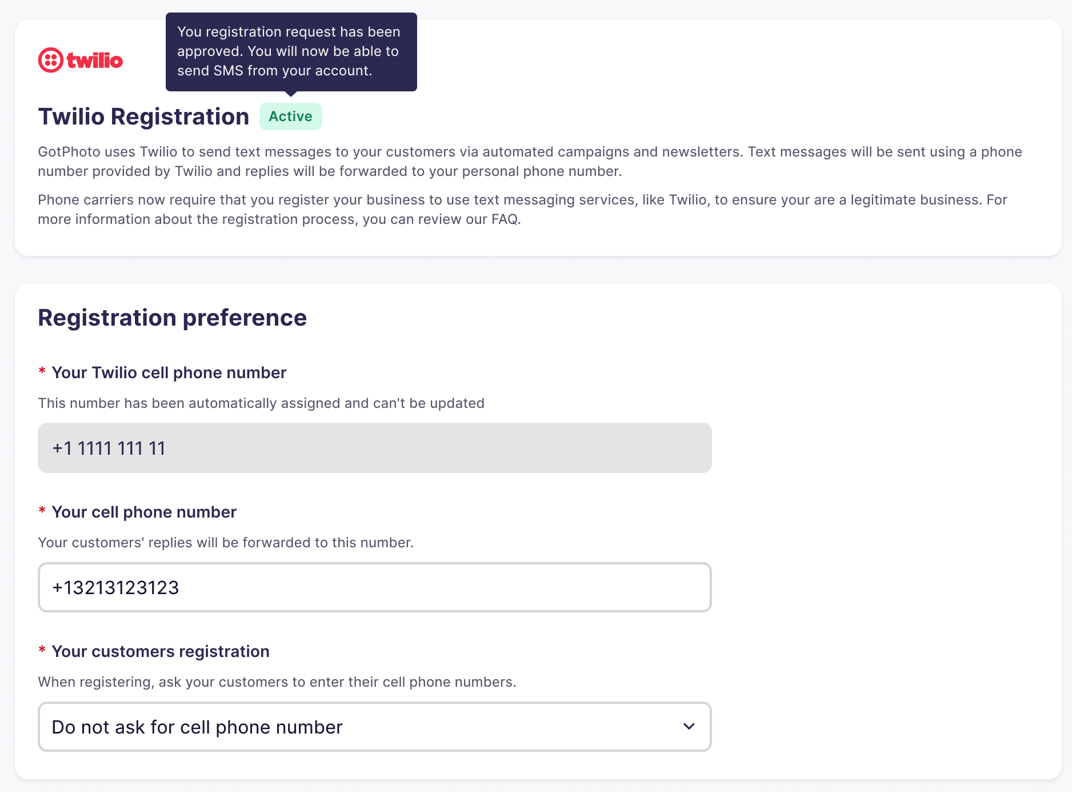
Active
Active: Registration is fully approved. No further action needed.
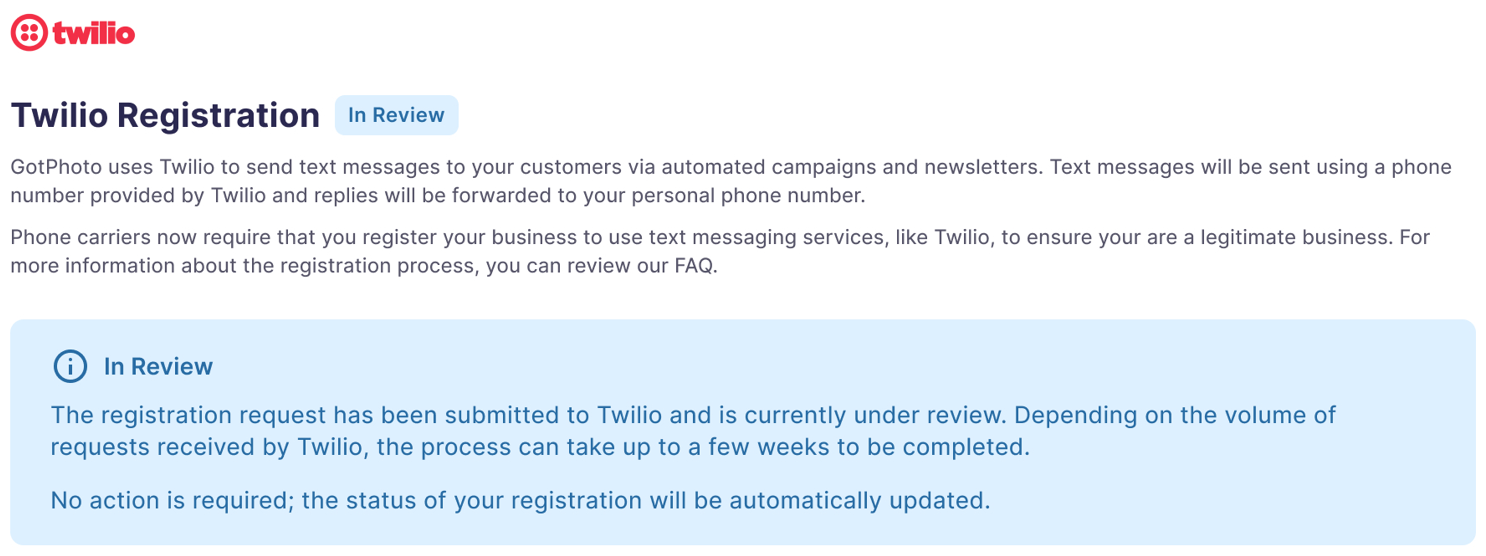
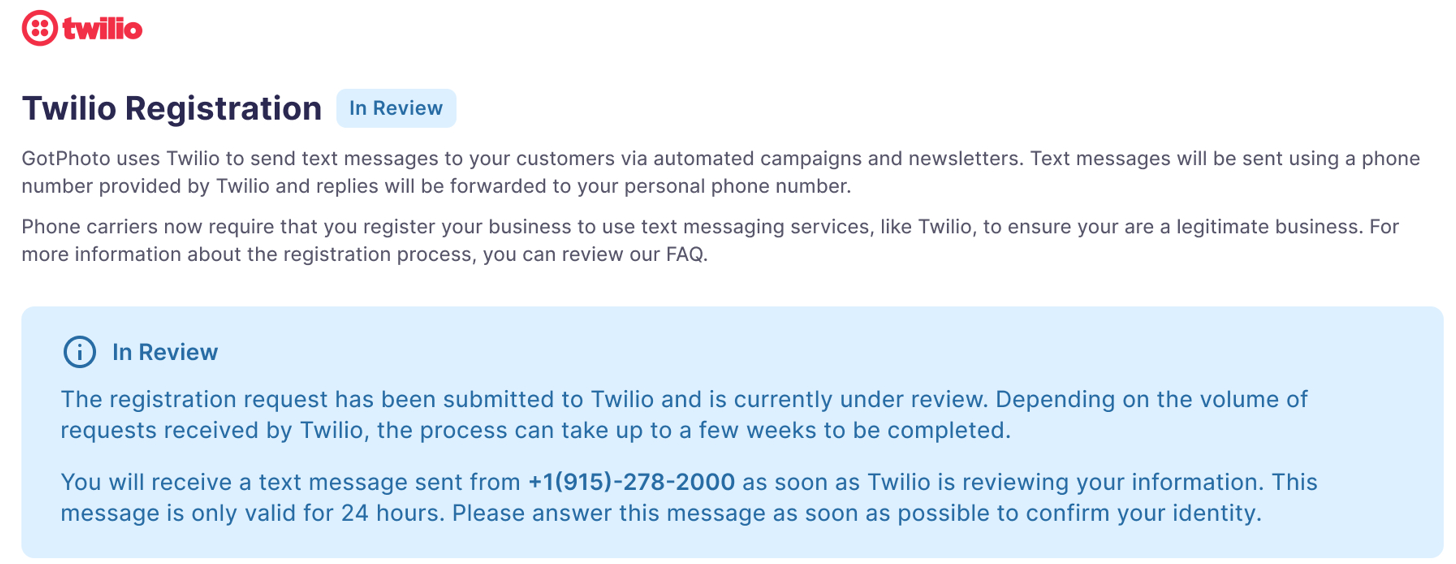
In Review
In Review: Registration is under review by Twilio. No action required yet.
For sole proprietors:
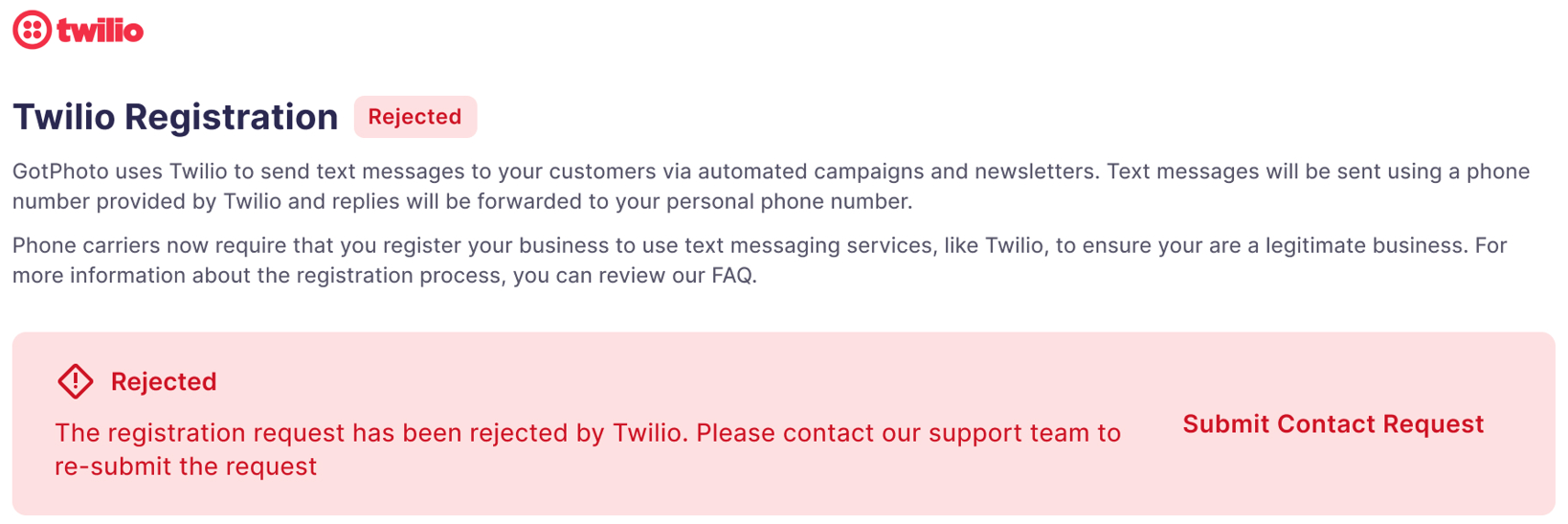
Rejected
Rejected: Registration was rejected. This could be due to incorrect information or failure to reply to the confirmation SMS. Our Customer Care team can provide additional details about the rejection reason.
FAQ
I'm in Canada. Do I need to register?
No. Only U.S.-based customers must complete registration. Canadian users simply enter a mobile number in the SMS settings, and a Twilio number will be automatically assigned.
What if I don't consent to Twilio registration?
You won't be able to use SMS through GotPhoto unless you complete the Twilio registration process.
Why is this required for U.S. customers?
Due to stricter U.S. carrier regulations, Twilio registration ensures messages are delivered and not flagged as spam. It's mandatory for continued SMS communication through GotPhoto.
What happens to my registration info?
Twilio sends your data to The Campaign Registry (TCR), a third-party verifier, to assign a Trust Score that validates your legitimacy as a sender.
Can I use Google Voice or another VoIP number?
No. You must register using a physical mobile number to complete initial verification. VoIP numbers may be rejected or cause delivery issues later.
Can I make the phone number field mandatory for customers?
Currently, we are unable to enforce a mandatory phone number field for customers. This is due to recent policy changes from Twilio, our SMS provider, which restrict us from requiring customers to provide their phone number. This applies especially to US-based customers, where these restrictions are most impactful.
Will I be charged Twilio fees?
No. GotPhoto covers the Twilio messaging costs required to send SMS messages through the platform.
Why do I see a validation error when submitting my business information?
The validation error appears when required business information is missing, incomplete, or invalid. Check the list below for the possible causes of this error:
- Business type: Not selected or invalid value.
- First and last name: Empty, or contains special characters which are not accepted.
- Business name: Empty.
- Email address: Missing or not a valid email address.
- EIN: For non-sole-proprietors it's required and must match 11-1111111 or 111111111. No letters, exactly 9 digits.
- Website: Required for non-sole-proprietors and must be a valid URL.
- Phone number: Must be a valid international format +1xxxxxxxxxx.
- Business title/job position: Required for non-sole-proprietors.
- Business address: Street, city/town, zip code, state/province must all be filled.
- Data agreement: The "twilioDataAgreed" consent checkbox must be ticked.
The takeaway
Completing the Twilio registration process ensures your text messages are successfully delivered, keeps your personal number private, and meets regulatory standards. For U.S. customers, registration is required to enable SMS features within GotPhoto.
Related articles: