
Table of contents
- Overview
- Quick login links for photographer testing
- Email login links for parents and customers
- Why you must log out before testing
- Preventing data privacy issues
- Prevent triggering a cart reminder when adding items to the cart
- FAQs
Overview
GotPhoto has two different types of direct login links:
- Quick login links are a backoffice tool for photographers to test the shop view for a certain access code.
- Email login links are personalized links sent to parents and customers via automated campaign emails, allowing them to access their photos directly.
This article explains how each works, when to use which, and what to watch out for when testing.
Quick login links for photographer testing
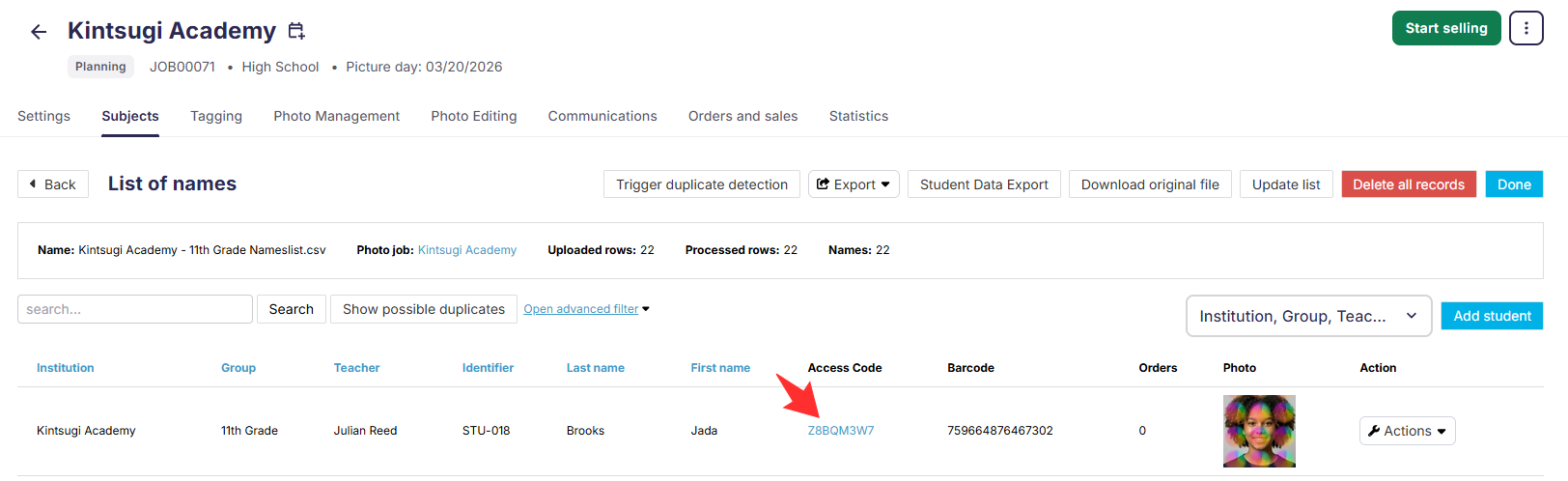
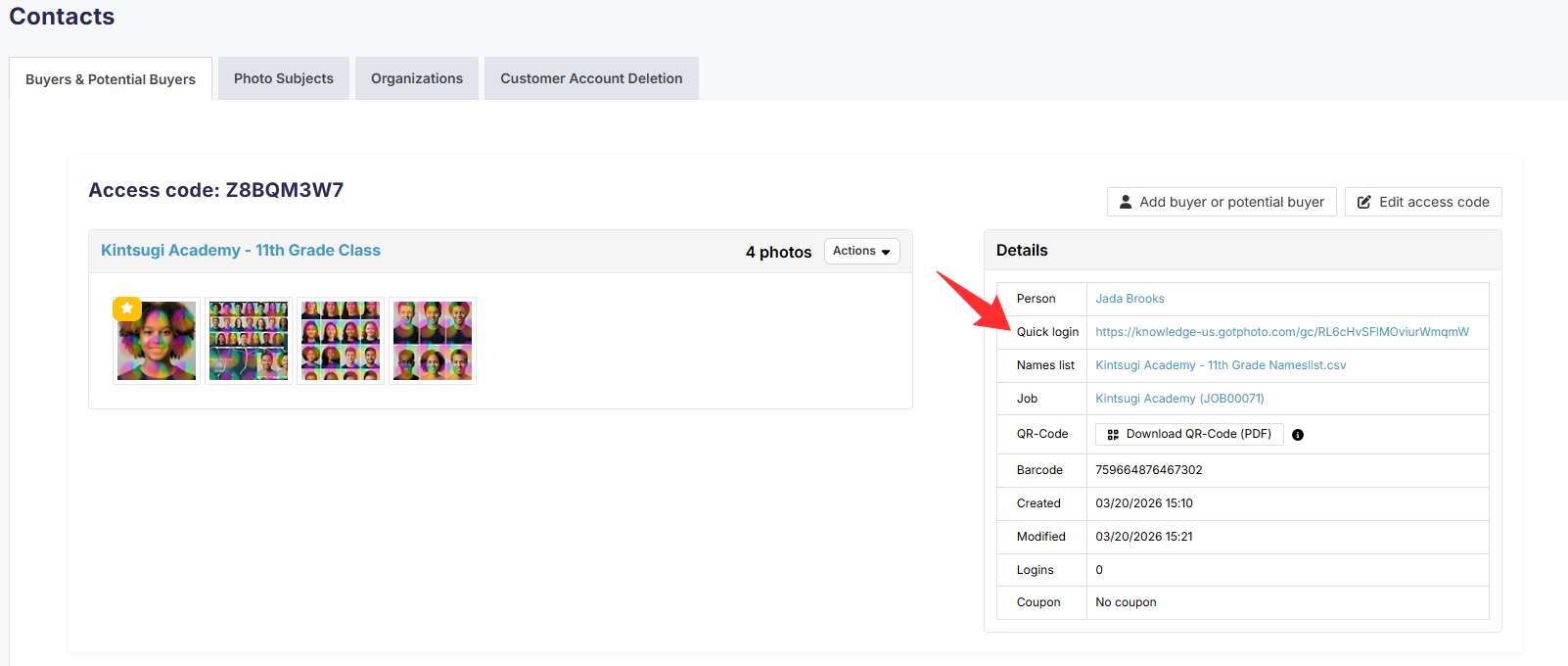
A quick login link gives you direct access to a subject's shop view without entering an access code. It is designed for photographer testing - for example, to verify that a subject's photos are correctly tagged and visible in the shop.
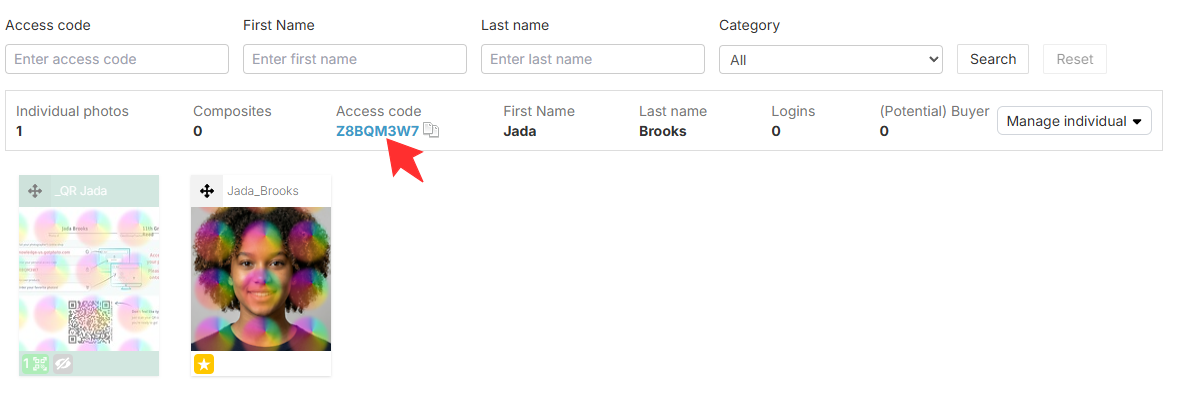
You can find a quick login link by clicking on an access code in the Subjects tab or in the subject's gallery in the Photo Management tab. The link appears on the right-hand side of the access code detail page, under Details.
Important for UK photographers: Quick login links bypass identity verification. Under UK GDPR, these links should not be shared directly with customers. Use the standard access code login or the email login for any customer-facing communication.
Email login links for parents and customers
An email login link is a personalized link included in automated campaign emails sent to parents and customers. When a parent clicks the link or button in their email, they are taken directly to their child's photos in your shop - without needing to enter an access code.
Unlike quick login links, email login links are customer-facing. They are linked to a specific potential buyer and are the intended way for customers to access their galleries.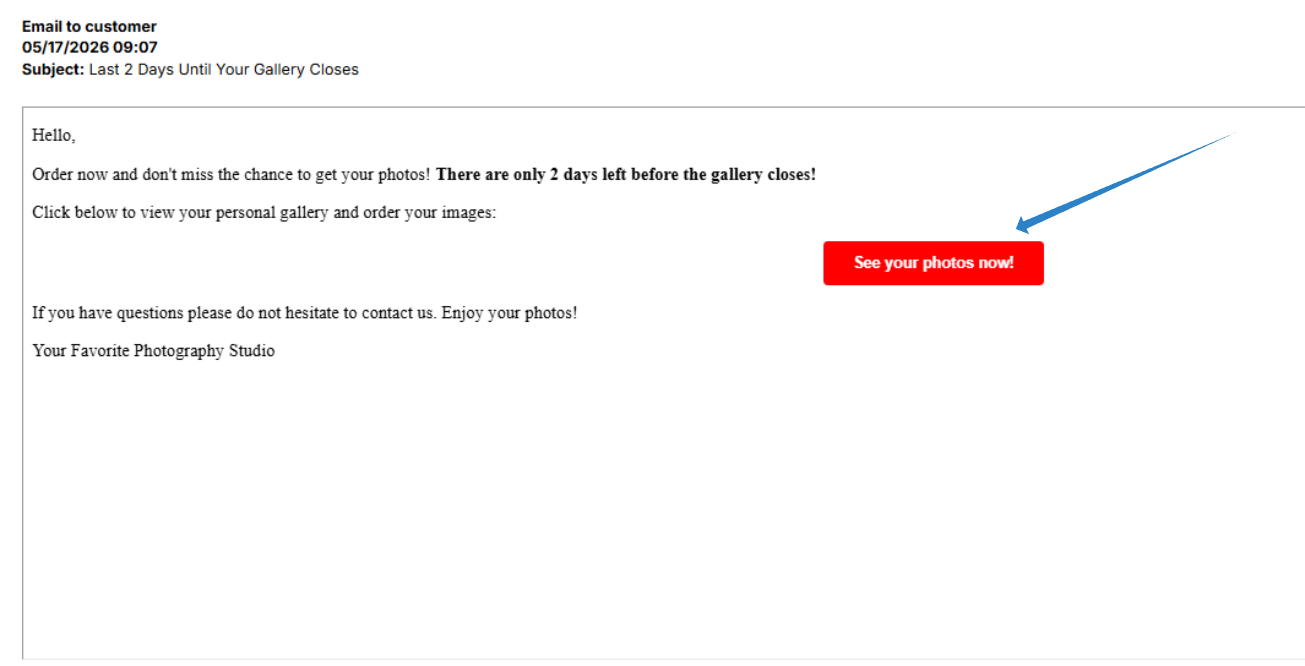 That's useful if you need to test exactly what that specific customer will see when they click the link in their email.
North America: When a customer clicks their email login link, they are authenticated automatically and land directly in their shop view - no password required. That same applies to you if you click one of the email links on the customer's overview page in your admin area.
UK: When a customer clicks their email login link, they are prompted to verify their identity before accessing their photos.
First-time visitors are asked to set a password; returning customers confirm with their existing password. This is in line with UK GDPR requirements. You can't access the gallery via this link as it is password-protected.
Why you must log out before testing
Whether you are testing with a quick login link or an email login link, always start with a clean browser session. Log out of your online shop completely before opening a link for a different subject. If you do not, your browser may carry over data from your previous session and display the wrong subject's photos.
Preventing data privacy issues
Relevant if you are based in North America: Remaining logged into an old session when opening an email link for a new subject can cause serious system conflicts. The system may retrieve data from the wrong subject profile, causing the shop to display incorrect photos.
For example, if you have opened access codes from the same job or across different jobs without logging out between sessions, images from multiple subjects may appear in the same shop view. This creates serious data privacy concerns: a parent could accidentally see another subject's private photos instead of their own. Always log out completely between sessions to protect your customers' data.
Prevent triggering a cart reminder when adding items to the cart (US /CA)
This applies specifically when testing with an email login link, as it is linked to a real customer. If you add items to the cart during testing and do not remove them before the first configured reminder window expires, the customer will receive an automated cart reminder email. Always clear the cart after testing.
This is not a concern when using a quick login link, since there is no customer account associated with the session.
FAQs
What is the difference between a quick login link and an email login link?
A quick login link is a back office tool for photographer testing: it opens a subject's shop view without identity verification. An email login link is what parents and customers receive in campaign emails to access their own photos. Both bypass manual access code entry, but they serve different purposes and are used by different people.
Can I share a quick login link with my customers?
Quick login links are intended for photographer testing, not for customer-facing use. UK photographers in particular should not share quick login links with customers, as these links bypass identity verification, which is not in line with GDPR requirements. For customer access, share the standard access code or ensure customers receive their personalized link via an automated campaign email.
What happens if I do not log out before clicking a new link?
The system may cache your previous session data, causing the shop to display an incorrect subject profile or photos, which can be confusing.
Can parents accidentally see other subjects' photos if I do not log out when testing?
[Only applicable in North America] Yes. If you open an email login link (US&CA) and then open another without logging out first, data from the previous session may carry over. Always log out of each session before testing a new link.
The takeaway
Quick login links and email login links both provide direct shop access, but they are different tools for different people. Quick login links are for photographers testing their shop setup; email login links are how parents and customers access their photos. Always log out between tests regardless of which type you use. UK photographers should avoid sharing quick login links with customers and instead use the standard access code or campaign email links for customer-facing communication.