


This article is relevant to photographers in North America.
Contents
- Overview
- How it works
- Set up your handling fee
- How the fee appears to your customers
- Refunds and the handling fee
- FAQs
- The takeaway
Overview
The handling fee is available on paid plans and lets you add a small, optional charge to your shop checkout to help recover the cost of handling and fulfilling orders. It’s fully optional and deactivated by default. You can customize the fee’s name and percentage.
This is currently available to photographers in the US and Canada.
How it works
- The handling fee is a percentage you set once for your account (between 0.01% and 20%), applied automatically at checkout.
- It’s calculated on the product subtotal, after any coupons are applied and excluding shipping. It’s added before tax, and tax is then calculated on the new, post-fee amount, the same way it is for any other charge on the order.
- It applies across all orders in the New Shop.
- It only applies to orders placed by buyers through your online shop checkout. It does not apply to:
- Orders you enter manually in the order entry.
- Prepay and Prepay+ orders.
Set up your handling fee
- Navigate to Online Shop > Fee Settings.
- Define the fee label displayed in the shop and on your customers’ invoices (e.g., “Processing Fee” or “Handling Fee”).
Please note: While our system filters out a few specific restricted terms (like tax, payment, or GotPhoto), you're ultimately in the driver's seat when it comes to keeping your fee label clear and compliant. Since our system only catches a few key terms, you'll still want to make sure your custom label aligns with your local consumer regulations. - Enter a percentage between 0.01% and 20% (max 2 decimal places).
- Press Save.
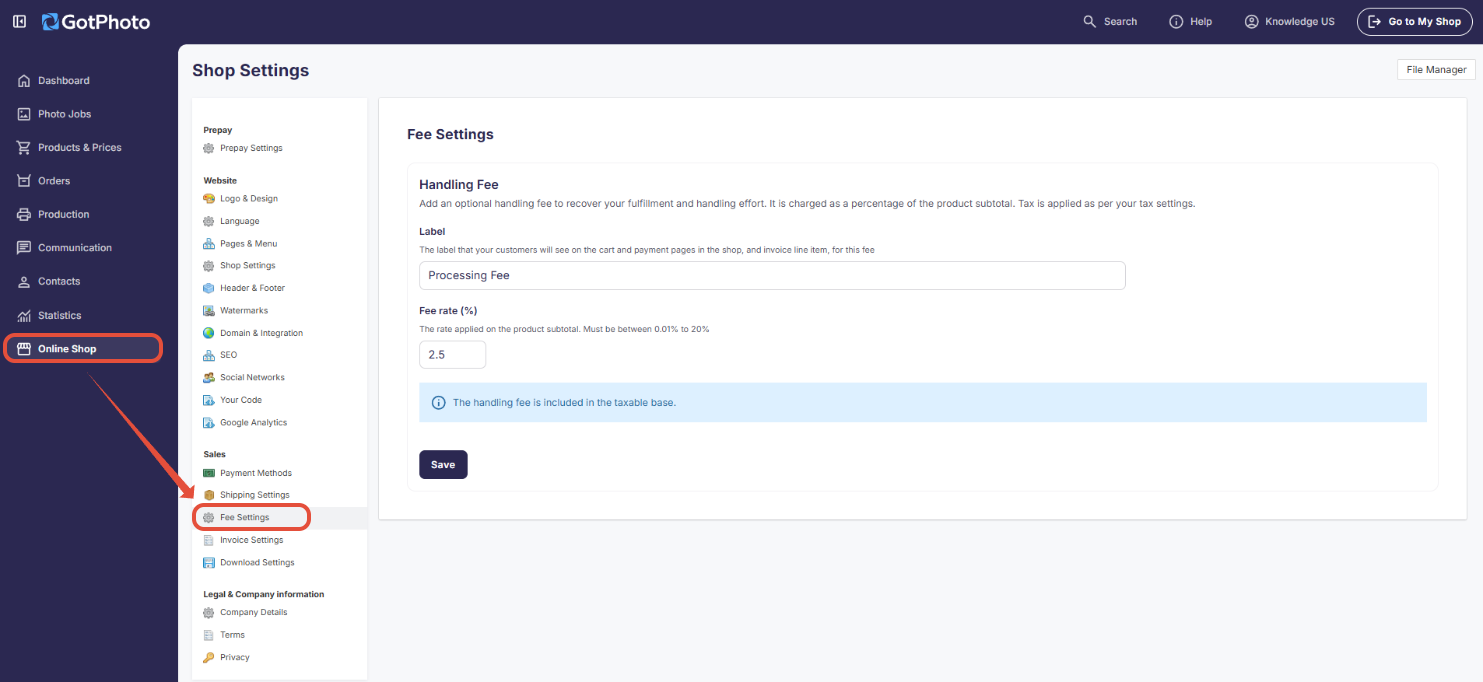
The fee applies to all future orders. It doesn’t change orders that have already been placed.
To stop charging the fee, simply clear the percentage field and save the settings.
How the fee appears to your customers
When you set a percentage, it shows up as its own clearly labeled line in the customer’s cart and checkout, positioned between the subtotal and tax.
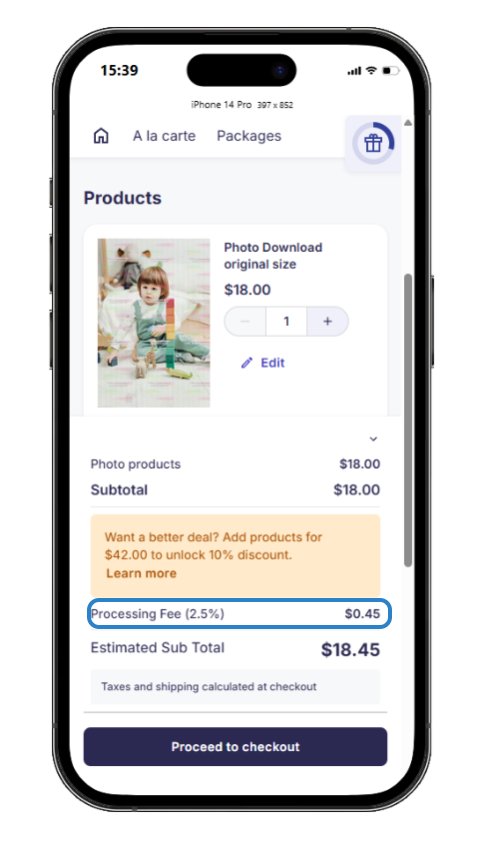
It also appears:
- On the buyer’s order overview and invoice.
Screenshot below: sample customer invoice.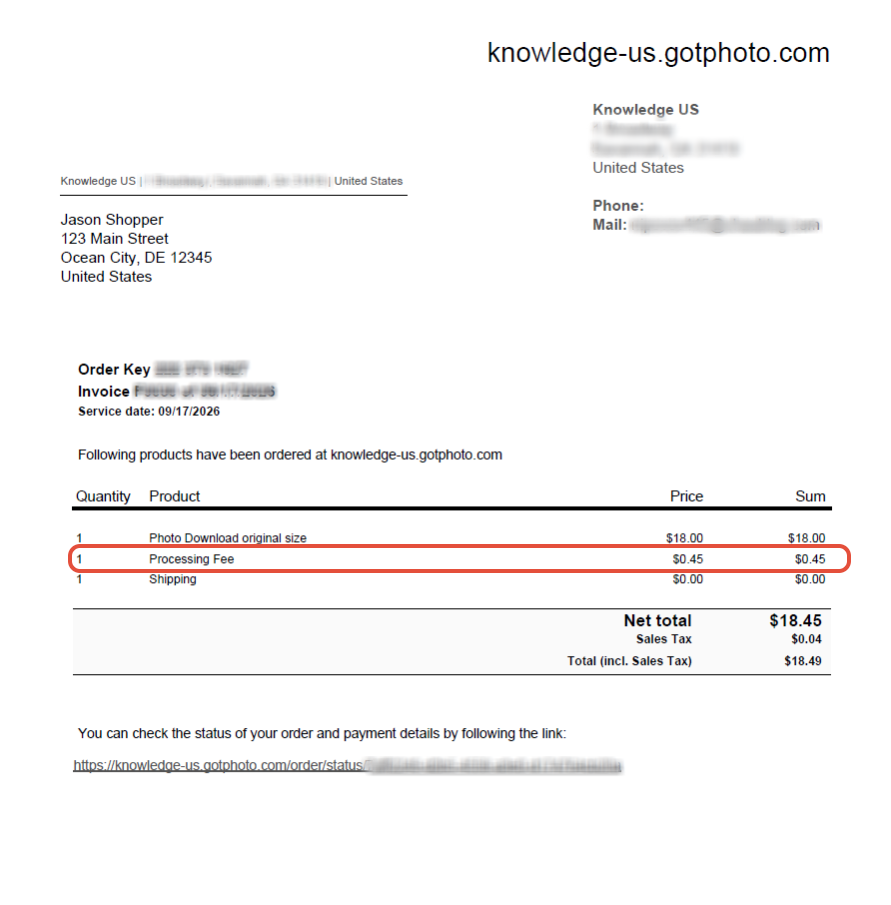
- In your admin area, on the order’s cost breakdown.
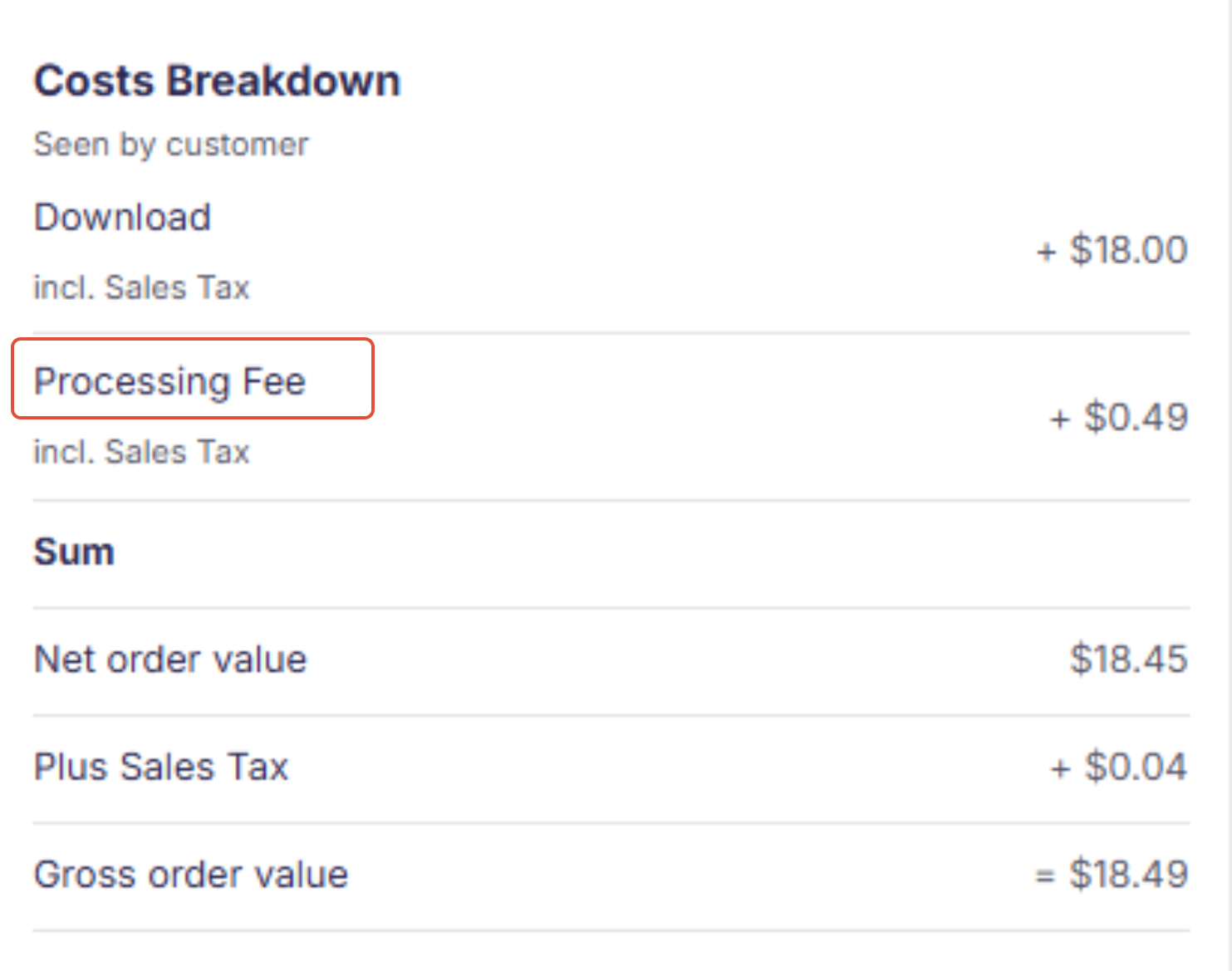
Refunds and the handling fee
Here's how refunds are handled:
- Full order refund: the handling fee is refunded in full, along with the full order amount your customer paid.
- Partial order refund: the handling fee is refunded proportionally to the value of the items refunded.
FAQs
Do I have to use the handling fee?
No. It’s off by default and entirely optional.
Is the handling fee refundable?
Yes. It follows the same refund rules as the rest of the order:
- Full refund: the fee is refunded in full, along with its tax and take rate.
- Partial refund: the fee is refunded proportionally to the value of the items refunded.
Can customers tell what the fee is for?
They’ll see whatever label you’ve set (default: “Handling fee”), shown clearly as its own line in the cart and checkout.
Will the handling fee also be available in the UK?
This is currently rolling out to US and Canada shops only.
What does "The handling fee is included in the taxable base" mean?
It means sales tax is calculated on the combined total of the products plus the handling fee, rather than on the products alone.
Is this feature only available on certain plans?
This feature is available to all GotPhoto customers on paid plans.
Can I apply the handling fee to physical items only?
No. The handling fee applies to the full order, whether it includes physical items, digital items, or both.
Are there any restrictions on how I can name a fee?
Fee labeling and customer disclosure requirements can vary by country and region. We can't provide legal advice, so we'd encourage you to check with your local authorities or a qualified advisor to make sure your fee label name aligns with the laws and guidelines that apply to you.
Can I set a flat fee instead of a percentage for the order handling fee?
No. This first version only supports a percentage-based fee, not a flat dollar amount.
I’m in Canada and have English- and French-speaking customers. How do I show the label in two languages?
You can add both the English and French label names in the required field.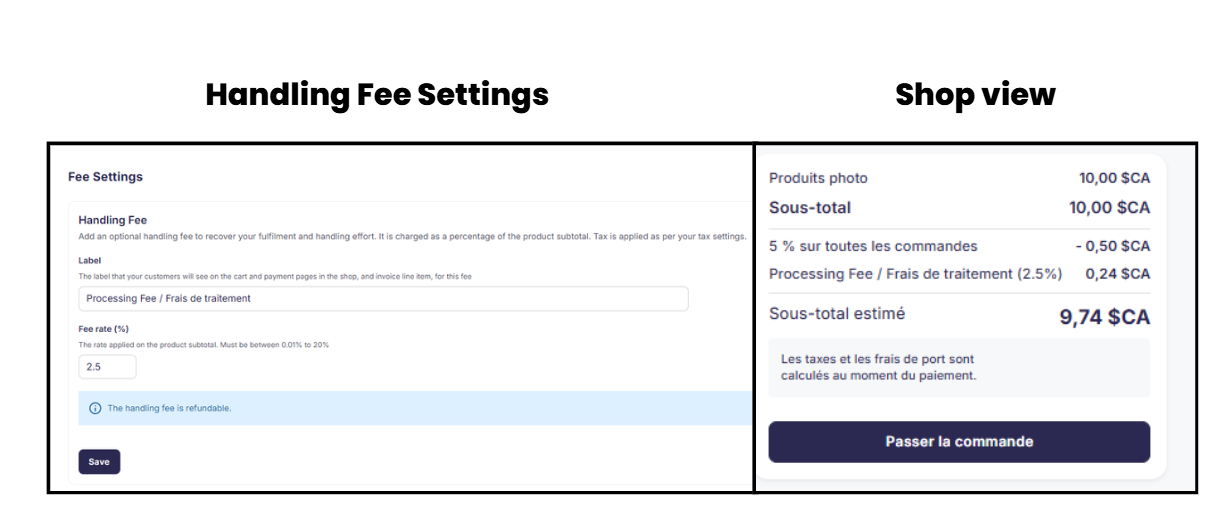
Can other account users access the handling fee settings?
Only additional account users with admin rights can adjust these settings.
The takeaway
The handling fee lets you recover order handling costs by adding a small percentage charge at checkout. It's off by default, and you control both the percentage and the label your customers see. The fee appears as its own line item in the cart, checkout, and invoice, and it's refunded automatically alongside the rest of the order. The handling fee is part of your order total, so GotPhoto's order processing fees apply to it like any other revenue.