
Table of contents
- Overview
- Check spam and notification settings
- Blocked email address
- Change notification email
- The takeaway
Overview
If you’re not receiving GotPhoto system-generated emails such as order confirmations, there are a few common reasons and quick fixes to check.
Check spam and notification settings
Start by checking your spam or junk mail folder to make sure the messages weren’t incorrectly flagged.
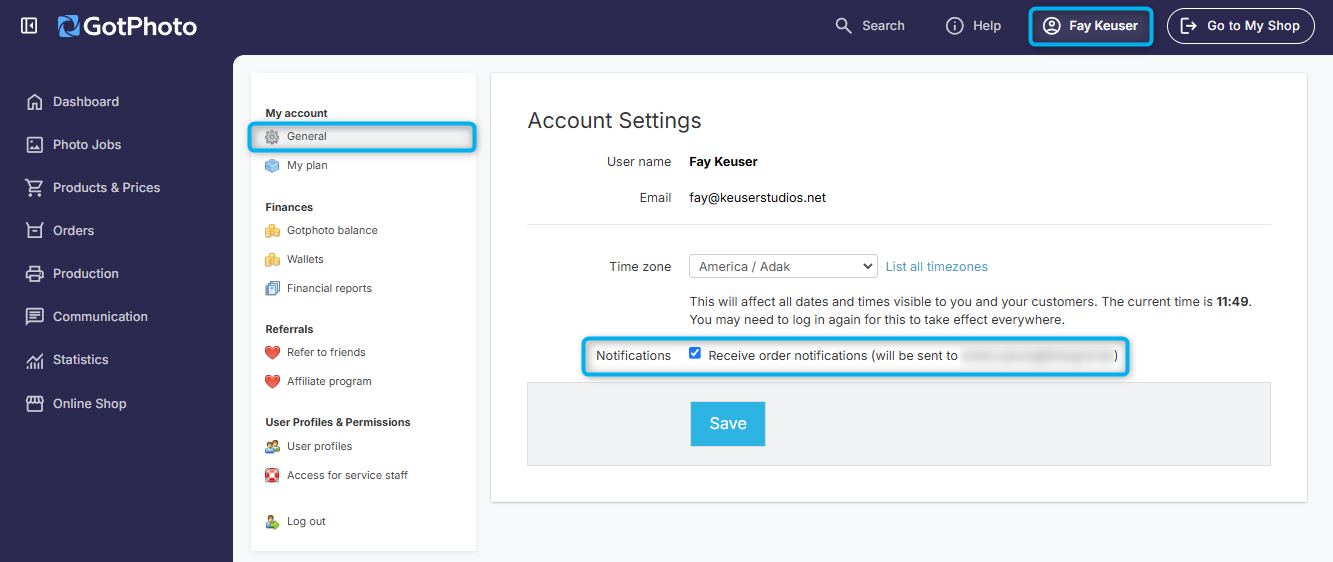
Then, review your account settings to confirm that order notifications are enabled.
Blocked email address
If your settings are correct, but you’re still not receiving system emails, it’s possible your email address has been blocked. This often happens if marketing emails from GotPhoto were marked as spam.
Our Customer Care team can help with the removal from the blocked list. You can still unsubscribe from newsletters without affecting your system emails.
Change notification email
Our Customer Care team can also support you updating the email address used for receiving exports and order notifications.
When sending automated emails to both photographers and customers, our system uses no-reply@gotphoto.com as the default sender email address for North American accounts. It is not possible to adjust this email or the contents/verbiage of any automated notifications.
The takeaway
If you’re missing system emails, check spam folders, ensure notification settings are enabled and your email is not blocked. Our team is here to help you get back on track.