
Table of contents
Overview
In addition to text, you can add a variety of media to your GotPhoto shop and customer communications. This article explains how to embed videos and upload PDF files. If you're looking to add images to your site or emails, view the guide on adding images.
Adding videos
You can embed videos hosted on platforms like YouTube or Vimeo.
- Upload your video to the video platform of your choice.
- Locate the Embed option to generate a code snippet.
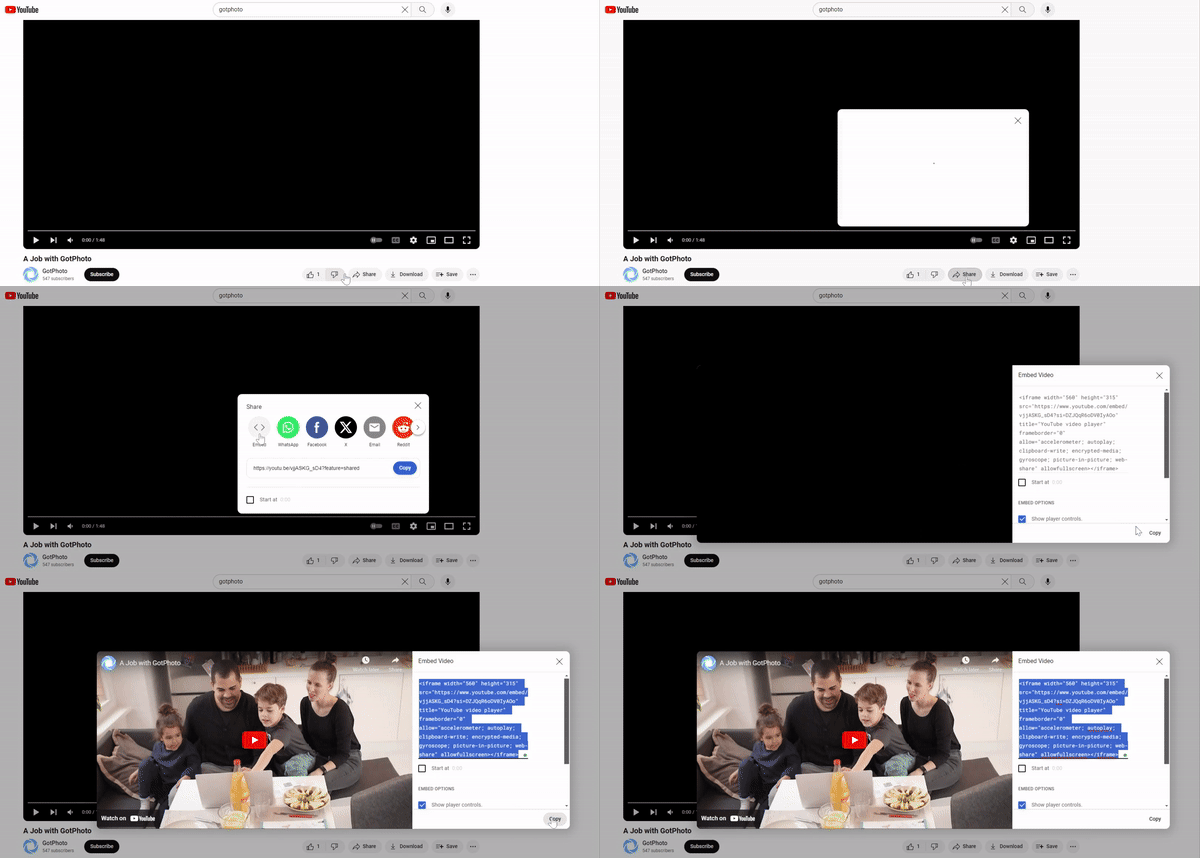
- For YouTube, go to Share → Embed to get the code:
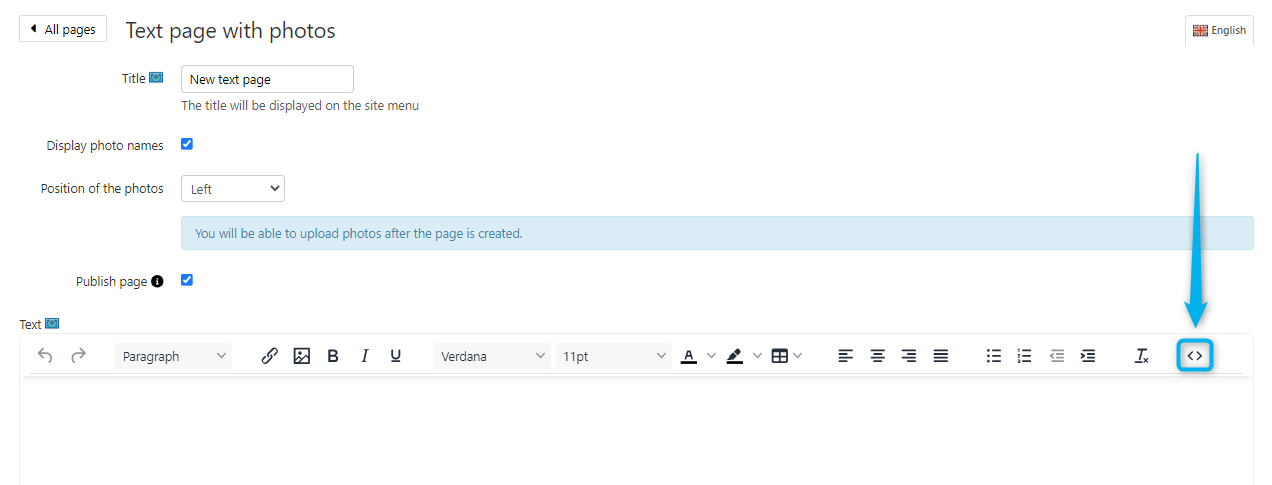
- Paste the code snippet into any text box in your GotPhoto admin area by clicking the icon:
Adding PDF files
You can easily upload and link to PDFs using the File Manager.
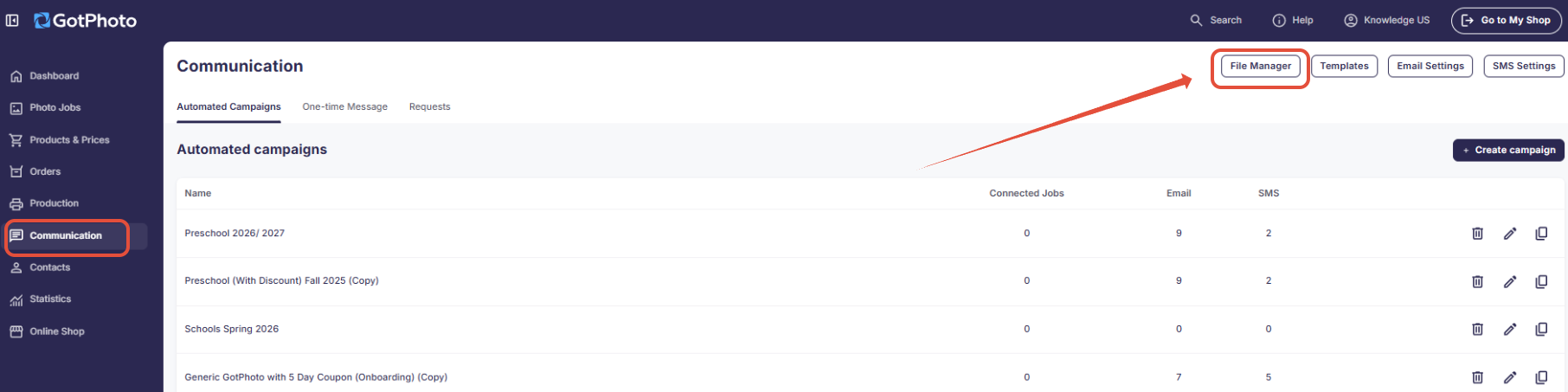
- Go to the File Manager at the top of any Communication page.
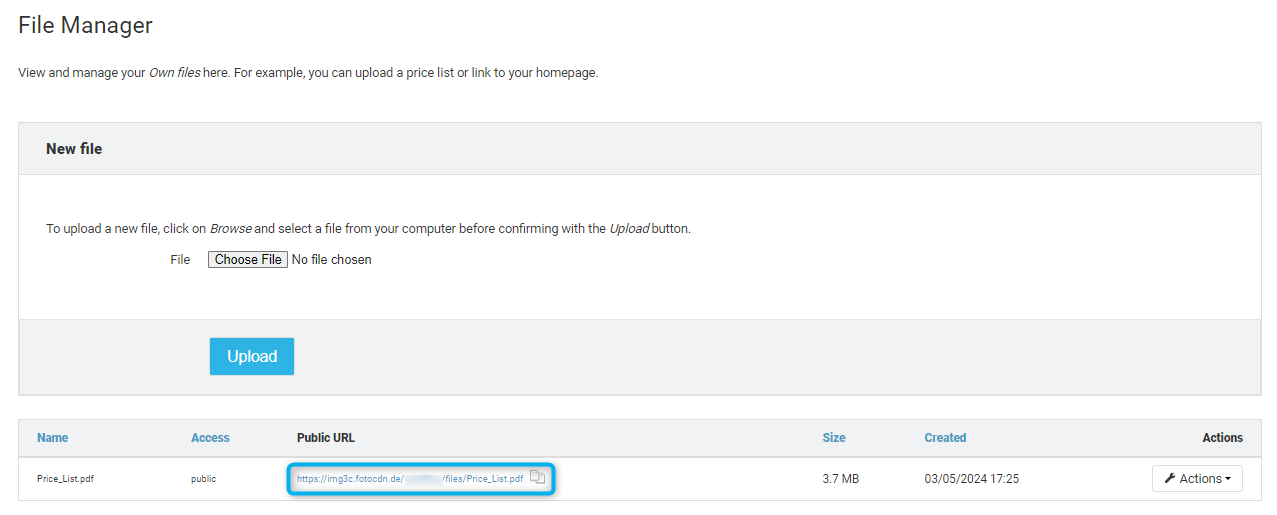
- Upload your PDF file and copy the Public URL provided.
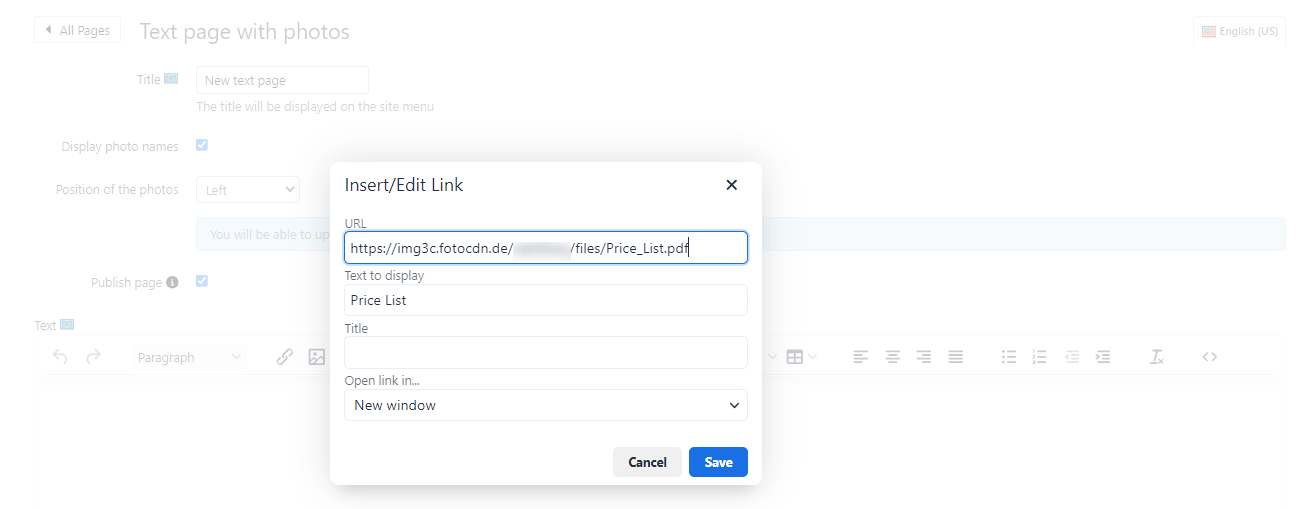
- In your email or webpage editor, click the symbol to add a link.
- Paste the copied URL into the link field and configure your settings as needed.
The takeaway
Enhance your customer communications by integrating videos and PDFs into your GotPhoto shop or emails. Use the File Manager to host PDFs and embed video links using HTML. These simple additions can greatly improve the experience for your customers.